Posted On May 2, 2019

Linux: A Quick Sequence of Starting and Stopping an App

kimconnect 0 comments
blog.KimConnect.com >> Linux >> Linux: A Quick Sequence of Starting and Stopping an App

Check to see if SeaHorse is broken

kimconnect@nuc:# seahorse
Gtk-Message: 08:52:44.606: Failed to load module "canberra-gtk-module"
Gtk-Message: 08:52:44.608: Failed to load module "canberra-gtk-module"

Resolve dependency

sudo apt install libcanberra-gtk-module

Run an instance in a disjointed session

nohup seahorse </dev/null >/dev/null 2>&1 &

Explain:

nohup :no hangup
seahorse :some program
</dev/null :direct file descriptors (fd0,fd1,fd2) to the left
>/dev/null 2>&1 :Send standard output to /dev/null and then send standard errors to wherever standard output is going (which is also /dev/null). In short, throw away whatever this command writes to either file descriptor.
& :trigger Ctrl+C equivalent
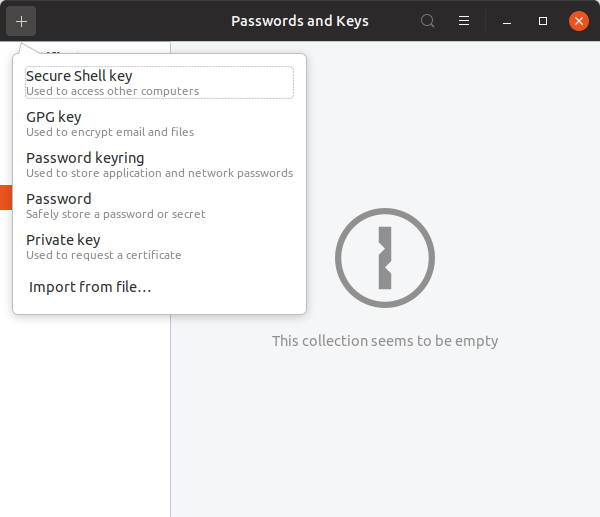
Kill all sessions with its name to release memory

pkill seahorse

Leave a Reply

Your email address will not be published. Required fields are marked *

Related Post

An Issue with RSA Key On CentOS 8

Error message seen by checking SSH Daemon status: [root@linux1 testadmin]# service sshd statusRedirecting to /bin/systemctl…

LDAP Ubuntu Client Setup

Install the client application: sudo apt-get update sudo apt-get -y install libnss-ldapd libpam-ldapd ldap-utils nscd…

Manually Create a SSL Certificate with LetsEncrypt

Step 1: Install certbot-auto mkdir /etc/letsencryptcd /etc/letsencrypt/wget chmod a+x certbot-auto Step 2: Create the Cert…
Other project: DragonCoin.com