Obtain AWS Access Key:
Log into AWS > click on your User Name > My Security Credentials > acknowledge any warnings > click on Access keys (access key ID and secret access key) > download key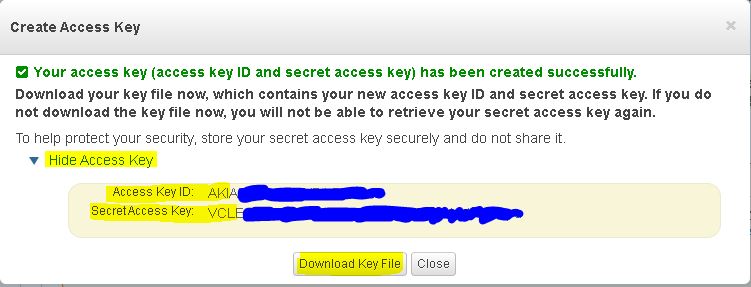
Install AWS-CLI:
Assuming that Chocolatey is installed on the system:
choco install awscli -y
Configure AWS-CLI
& "C:\Program Files\Amazon\AWSCLI\bin\aws.exe" configure
Example output:
PS C:\Windows\system32> & "C:\Program Files\Amazon\AWSCLI\bin\aws.exe" configure
AWS Access Key ID [None]: AKIAHONDA_TOYOTA_BEST_BRANDS
AWS Secret Access Key [None]: VCLE_WASSUP_BRO_WERE_GOING_HI_TECH_NOW
Default region name [None]: us-west-1
Default output format [None]: json
Check Version
PS C:\Windows> & "C:\Program Files\Amazon\AWSCLI\bin\aws.exe" --version
aws-cli/1.16.193 Python/3.6.0 Windows/10 botocore/1.12.183
Add AWS-CLI into Environmental Path
$awsCliPath="C:\Program Files\Amazon\AWSCLI\bin"
$env:Path += ";$awsCliPath"
Categories:
