Posted On October 26, 2020

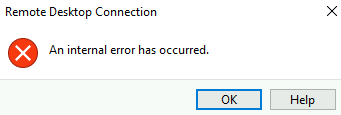
Remote Desktop Connection An internal error has occurred.

kimconnect 0 comments
blog.KimConnect.com >> Windows >> Remote Desktop Connection An internal error has occurred.
RDP Error Message:


Resolution:

Method 1: Create and apply a self signed certificate on the server

$fqdn=$env:computername+$(if($env:USERDNSDOMAIN){'.'+$env:USERDNSDOMAIN})
$newCertificate=New-SelfSignedCertificate -certstorelocation cert:\localmachine\my -dnsname $fqdn
$thumbPrint=$newCertificate.Thumbprint
wmic /namespace:\\root\CIMV2\TerminalServices PATH Win32_TSGeneralSetting Set SSLCertificateSHA1Hash=$thumbPrint

Method 2: install an alternate RDP client

Method 3: fix firewall issues

Leave a Reply

Your email address will not be published. Required fields are marked *

Related Post

Projects for Mystery Client in 2005

Mystery Client Technology Overview Last year Mystery Client upgraded to Microsoft Exchange 2003. This had…

DIFxDriverPackageInstall Error = 3

This error can occur during an installation of a Brothers branded printer or multi-functional scanner…

How to Restart Domino Services without Reboot

--------------Restart_Domino.bat------------------------------------------------------net stop "Lotus Domino Server (LotusDominoData)"c:\bats\pulist | findstr /I /C:"nadminp.exe" >c:\bats\pid.lstc:\bats\pulist | findstr /I /C:"naldaemn.exe"…
