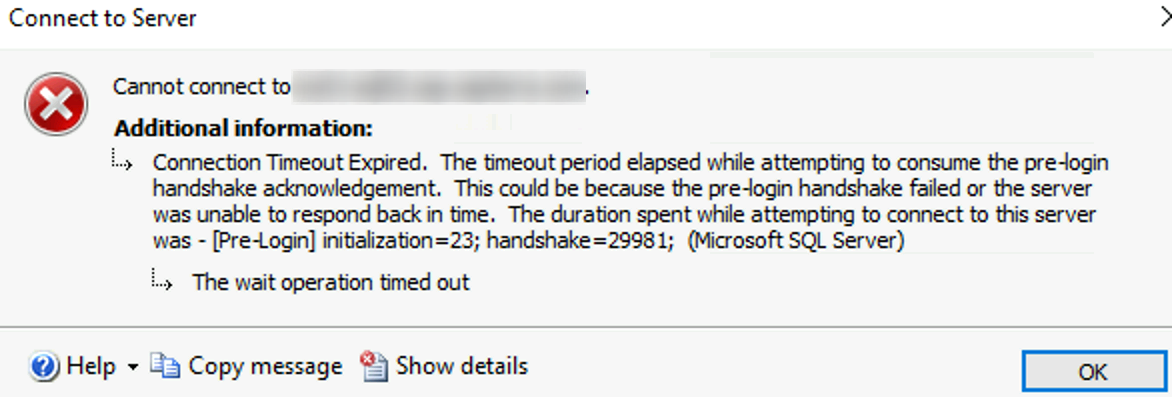
Error Message:
Resolution:
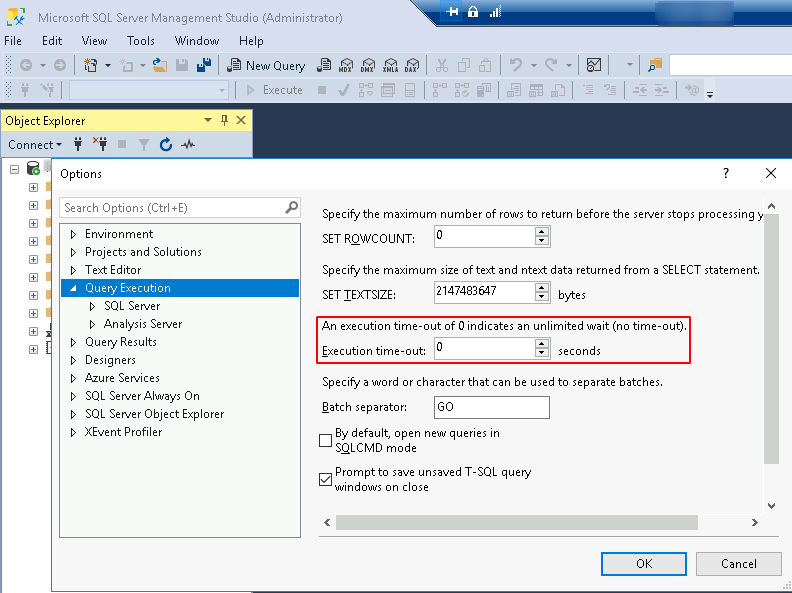
a. Check SQL Server’s Query Execution Timeout: SSMS > Login > Tools > Options > Query Execution
b. Test port 1433 (known common default sql port) from client to server
# Quick commands
$servername='sql01'
Test-NetConnection $servername -port 1433
portqry.exe -n $servername -p tcp -e 1433
# Sample output
PS C:\Users\sqladmin> Test-NetConnection $servername -port 1433
ComputerName : sql01
RemoteAddress : x.x.x.x
RemotePort : 1433
InterfaceAlias : Ethernet
SourceAddress : y.y.y.y
TcpTestSucceeded : True

PS C:\Users\sqladmin> portqry.exe -n $servername -p tcp -e 1433
Querying target system called:
sql01
Attempting to resolve name to IP address...
Name resolved to x.x.x.x
querying...
TCP port 1433 (ms-sql-s service): LISTENING
Categories:
