Posted On January 18, 2022

Microsoft SQL Server Connection Timeout

kimconnect 0 comments
blog.KimConnect.com >> Database >> Microsoft SQL Server Connection Timeout
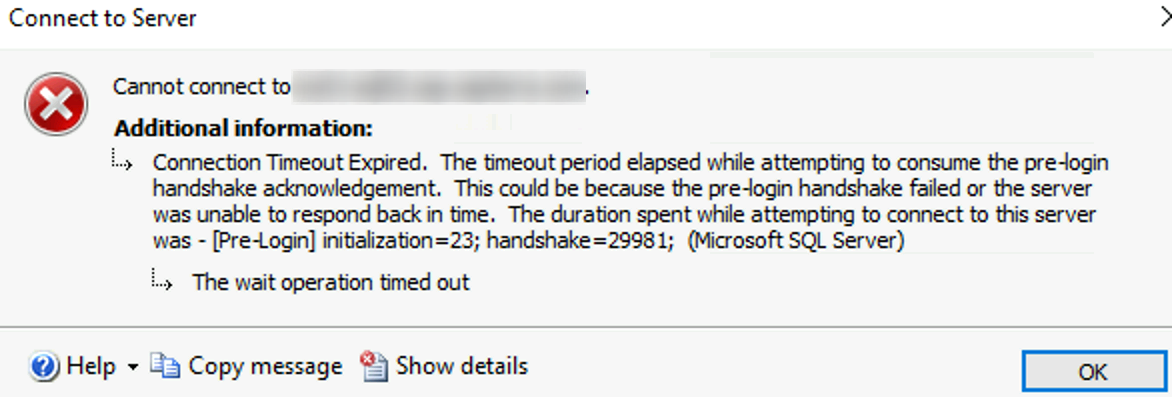
Error Message:

Resolution:

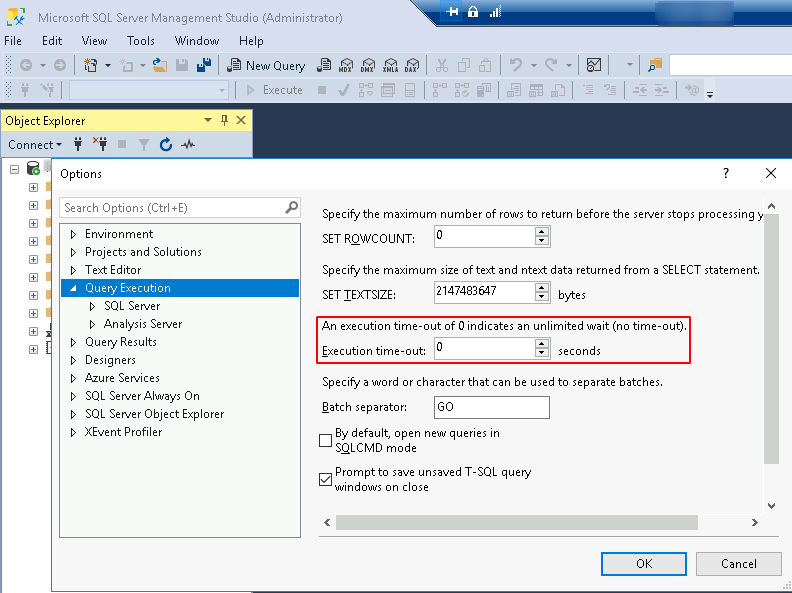
a. Check SQL Server’s Query Execution Timeout: SSMS > Login > Tools > Options > Query Execution
b. Test port 1433 (known common default sql port) from client to server

# Quick commands
$servername='sql01'
Test-NetConnection $servername -port 1433
portqry.exe -n $servername -p tcp -e 1433
# Sample output
PS C:\Users\sqladmin> Test-NetConnection $servername -port 1433
ComputerName : sql01
RemoteAddress : x.x.x.x
RemotePort : 1433
InterfaceAlias : Ethernet
SourceAddress : y.y.y.y
TcpTestSucceeded : True

PS C:\Users\sqladmin> portqry.exe -n $servername -p tcp -e 1433
Querying target system called:
sql01
Attempting to resolve name to IP address...
Name resolved to x.x.x.x
querying...
TCP port 1433 (ms-sql-s service): LISTENING

Leave a Reply

Your email address will not be published. Required fields are marked *

Related Post

How To Link Containers Using Docker Compose

This yields several advantages:1. Direct linking between containers is architectually efficient to direct traffic between…

T-SQL Msg 3101 Exclusive access could not be obtained because the database is in use

Symptom: Msg 3101, Level 16, State 1, Line 2Exclusive access could not be obtained because…

Check Servers NSLookup of a Listener to Match Active Node IP

$servers="SQL01","SQL02","SQL03","SQL04" $listener="halistener01" $activeNode="10.10.10.5" # Dynamic Credential method 1 $who = whoami if ($who.Substring($who.length-2, 2)="-admin"){$username=$who;} else…
