Posted On July 3, 2020

How to Remove Question Mark ‘Info’ Button in SyntaxHighlighter

kimconnect 0 comments
blog.KimConnect.com >> Codes >> How to Remove Question Mark ‘Info’ Button in SyntaxHighlighter

If you’re looking for a way to remove this subtle, yet spammy link:
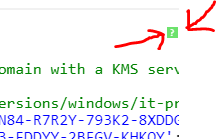
Do this:
Goto Dashboard > Appearance > Customize > Additional CSS
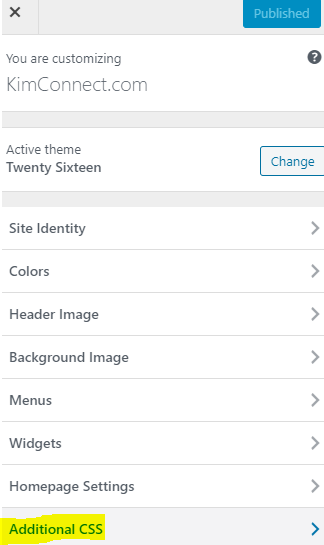
Simply paste this code:

.syntaxhighlighter .toolbar {
    /*color: white !important;
    background: #6ce26c !important;
    border: none !important;*/
    display: none;
}

Yo welcomed, homie.

Leave a Reply

Your email address will not be published. Required fields are marked *

Related Post

PowerShell: Perform Final Sync Between 2 Directories

Current Version # Final-Sync.ps1# This function performs CRC checks on each file at the source.#…

Use PowerShell to Get GeoLocation of a Computer’s Public IP

Method 1: Invoke-RestMethod -Uri ('http://ipinfo.io/'+(Invoke-WebRequest -uri "http://ifconfig.me/ip").Content) Method 2: function getIPGeolocation($ipAddress) {$request = Invoke-RestMethod -Method…

Window Update Via PowerShell

Set Proxy netsh winhttp set proxy proxy-server="hqproxy:80" bypass-list="*.kimconnect.com;192.168.*.*;"[Microsoft.Win32.Registry]::SetValue("HKEY_LOCAL_MACHINE\SOFTWARE\Policies\Microsoft\Windows\WindowsUpdate\AU","UseWUServer",0,[Microsoft.Win32.RegistryValueKind]::DWord)restart-service wuauserv Enable Windows Update Repository: Set-ExecutionPolicy RemoteSigned…