Posted On September 10, 2020

How to Use the ‘Advanced Find’ Feature in Dynamics 365

kimconnect 0 comments
blog.KimConnect.com >> Windows >> How to Use the ‘Advanced Find’ Feature in Dynamics 365

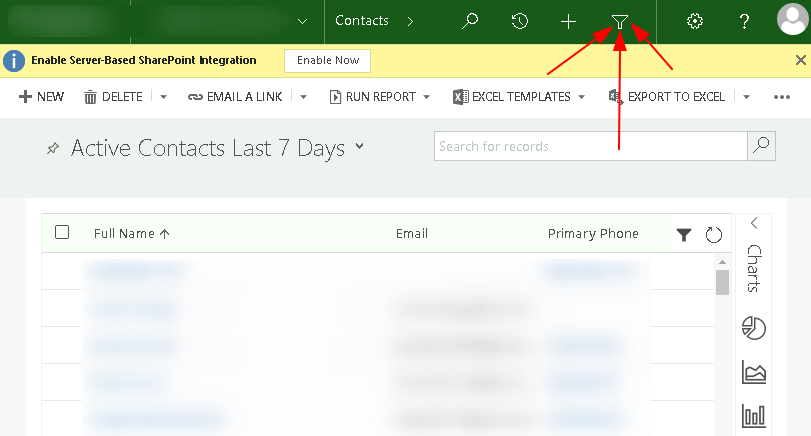
Step 1: Login and click on Le Button

  • Access your CRM portal with a valid credential
  • Click on the ‘funnel’ icon

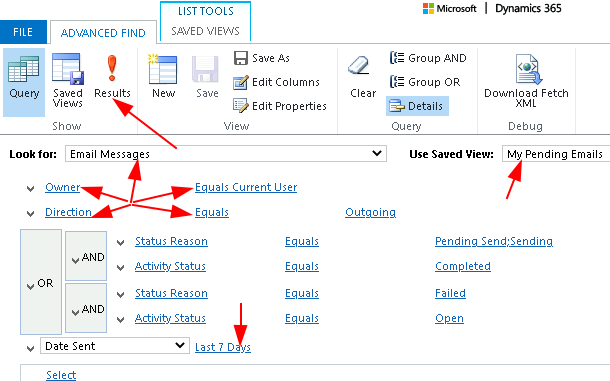
Step 2: Create a Filter to view Pending Emails

  • Example 1:
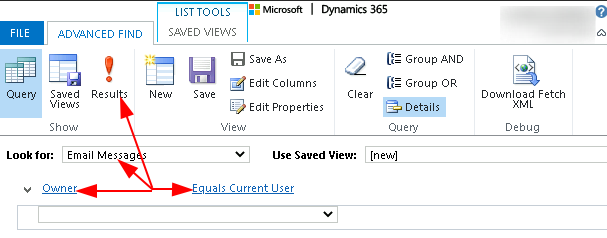
  • Example 2:


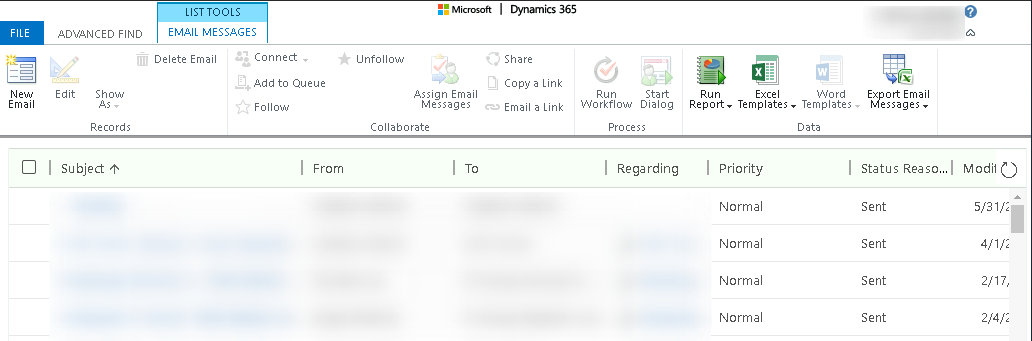
  • Sample Result:

Leave a Reply

Your email address will not be published. Required fields are marked *

Related Post

Windows 2016 Cumulative Roll-up Install

Use this method to apply cumulative roll-ups that would not successfully apply via Automatic Updates:…

PowerShell RandomPassword Function

function randomPassword{    # return a reasonably randomized password that starts with "KimConnect:" plus 25…

PowerShell: How to Install Remote Desktop Services

Prerequisites: Required ports for RDS Services- UDP/TCP 135 ingress/egress- UDP/TCP 137-139 ingress/egress- TCP 445 ingress/egress-…
Other project: DragonCoin.com