Posted On September 10, 2020

How to Use the ‘Advanced Find’ Feature in Dynamics 365

kimconnect 0 comments
blog.KimConnect.com >> Windows >> How to Use the ‘Advanced Find’ Feature in Dynamics 365

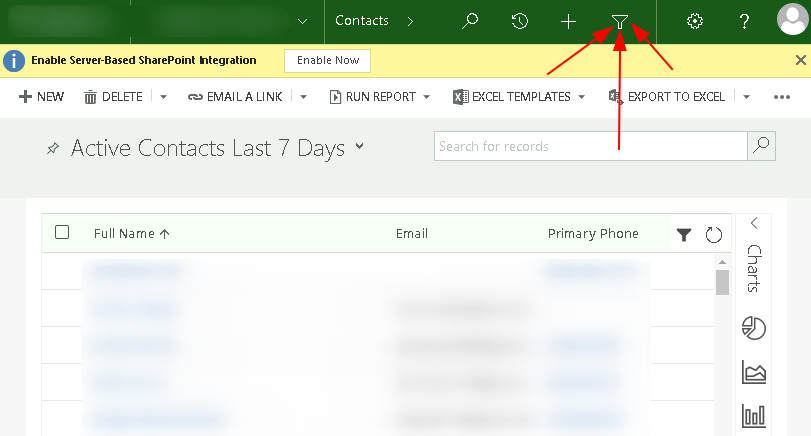
Step 1: Login and click on Le Button

  • Access your CRM portal with a valid credential
  • Click on the ‘funnel’ icon

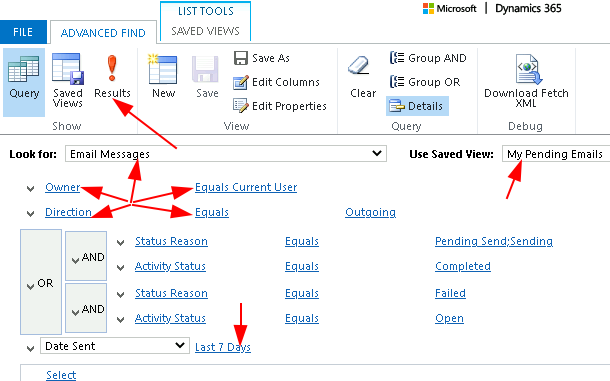
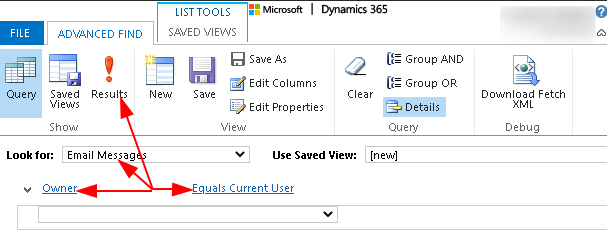
Step 2: Create a Filter to view Pending Emails

  • Example 1:
  • Example 2:


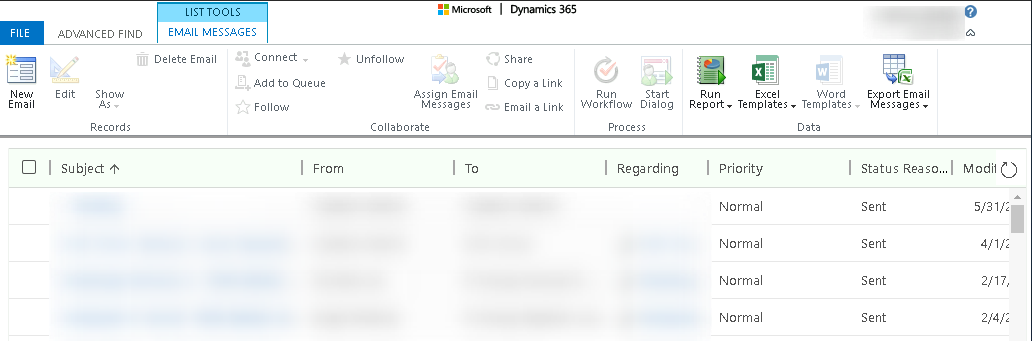
  • Sample Result:

Leave a Reply

Your email address will not be published. Required fields are marked *

Related Post

How to Enter the Bios on Intel NUC Portable PCs?

Normally, the F2 key upon restarting should direct the boot flow to the Visual Bios,…

Windows: Quickly Identify Cert Servers

Command: certutil -config - -ping Output:

Linux: Remediate SSL Weak Cipher Suites

Description The remote host supports the use of SSL ciphers that offer weak encryption. Note:…