Posted On October 15, 2020

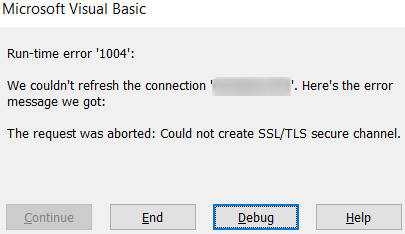
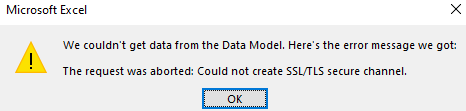
Microsoft Excel Error: The Request Was Aborted Could Not Create SSL/TLS Secure Channel

kimconnect 0 comments
blog.KimConnect.com >> Windows >> Microsoft Excel Error: The Request Was Aborted Could Not Create SSL/TLS Secure Channel

Issue:

Eventvwr.exe > Applications and Services Logs > Microsoft Office Alerts

The request was aborted: Could not create SSL/TLS secure channel.
P1: 102036
P2: 16.0.10366.20016
P3:
P4: 0x800A03EC

Resolution:

Excel seems to be including the dotnet framework for web calls. Run these commands in PowerShell as Administrator and reboot thereafter:

# Enforce TLS1.2 on DotNet Framework on next reboot
Set-ItemProperty -Path 'HKLM:\SOFTWARE\Wow6432Node\Microsoft\.NetFramework\v4.0.30319' -Name 'SchUseStrongCrypto' -Value '1' -Type DWord
Set-ItemProperty -Path 'HKLM:\SOFTWARE\Microsoft\.NetFramework\v4.0.30319' -Name 'SchUseStrongCrypto' -Value '1' -Type DWord


Leave a Reply

Your email address will not be published. Required fields are marked *

Related Post

Check Whether an Entity Has Access to a Directory or Its Children

Write-Host "This script just be ran in the context of a File Server Administrators member"…

Restricting Access to Directory in Windows Shares

- Only allow Admins write access to root folders- NTFS permissions at root directory for…

Weird RDP Error

[Window Title]Remote Desktop Connection[Content]The remote computer that you are trying to connect to requires Network…
Other project: DragonCoin.com
