Posted On October 15, 2020

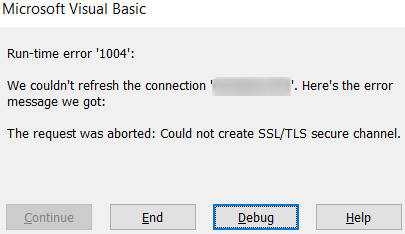
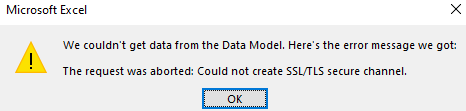
Microsoft Excel Error: The Request Was Aborted Could Not Create SSL/TLS Secure Channel

kimconnect 0 comments
blog.KimConnect.com >> Windows >> Microsoft Excel Error: The Request Was Aborted Could Not Create SSL/TLS Secure Channel

Issue:

Eventvwr.exe > Applications and Services Logs > Microsoft Office Alerts

The request was aborted: Could not create SSL/TLS secure channel.
P1: 102036
P2: 16.0.10366.20016
P3:
P4: 0x800A03EC

Resolution:

Excel seems to be including the dotnet framework for web calls. Run these commands in PowerShell as Administrator and reboot thereafter:

# Enforce TLS1.2 on DotNet Framework on next reboot
Set-ItemProperty -Path 'HKLM:\SOFTWARE\Wow6432Node\Microsoft\.NetFramework\v4.0.30319' -Name 'SchUseStrongCrypto' -Value '1' -Type DWord
Set-ItemProperty -Path 'HKLM:\SOFTWARE\Microsoft\.NetFramework\v4.0.30319' -Name 'SchUseStrongCrypto' -Value '1' -Type DWord


Leave a Reply

Your email address will not be published. Required fields are marked *

Related Post

How to Add Known Trusted Sites to Browsers in Windows

This instruction applies to the major browsers: Internet Explorer, Chrome, Firefox, and Opera. Note that…

PowerShell: Query Google Account Using GAM

$emailAddress='[email protected]' $field='accounts:last_login_time' function getGamUser{ param( $emailAddress, $field ) $result=try{gam report users user $emailAddress}catch{} if($result){ $headers=$result[0]…

Home OpenVPN Stuff

Config file: To Be Generated OpenVPN Client:   Note: there's an error with the Asus…
