Posted On January 14, 2020

Active Directory: How to Disable Account

kimconnect 0 comments
blog.KimConnect.com >> Windows >> Active Directory: How to Disable Account

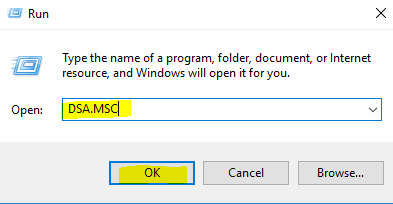
RDP into a domain controller > Right-click the Windows icon on the bottom left corner > type in DSA.MSC > press Enter
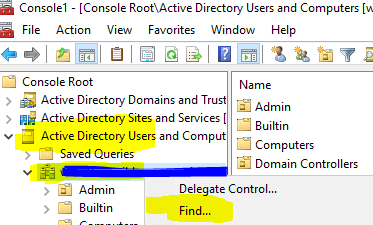
Expand the domain name > right-click on the domain object > Find…
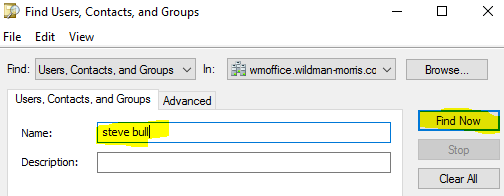
Input the name of the user in the “Name” field > click Find Now
Select “Disable Account”
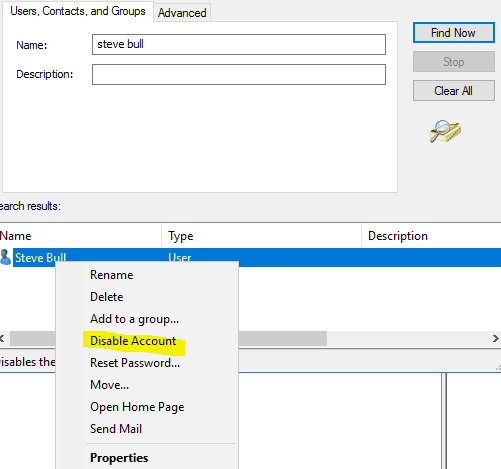
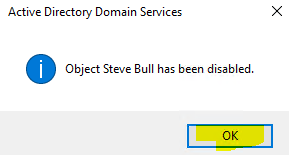
Click OK to confirm
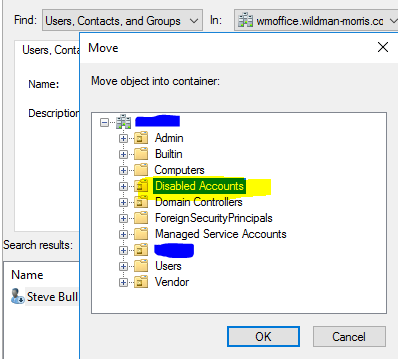
Right-click the disabled account > Move > select the “Disabled Accounts” container
Leave a Reply

Your email address will not be published. Required fields are marked *

Related Post

How to remove a “No mapping between account names and security IDs was done” error

Case 1: This pertains to a domain-joined account on a domain-joined computer. These legacy cmdlets…

Forth Shift Administrative Procedures – Daily and Monthly

Introduction: There are batch scripts that are scheduled to run on a daily basis. In…

Default Ports for Various Common Services

Although it is recommended that these default ports be changed whenever possible to add an…
