The following instructions assume the task of creating a authentication endpoint to allow external users to authenticate toward Active directory. ADFS can also be utilized as an Saml endpoint, and that is out of scope of this simple walk-through.
Run AD FS Management Console > right-click Relying Party Trust > Add Relying Party Trust > left the default ‘claims aware’ option as-is > Start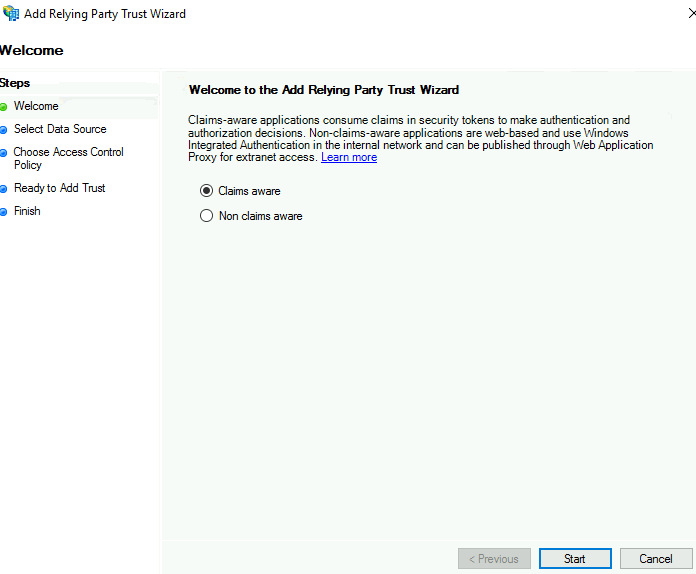
Toggle the option to ‘enter data about the relying party manually’ > Next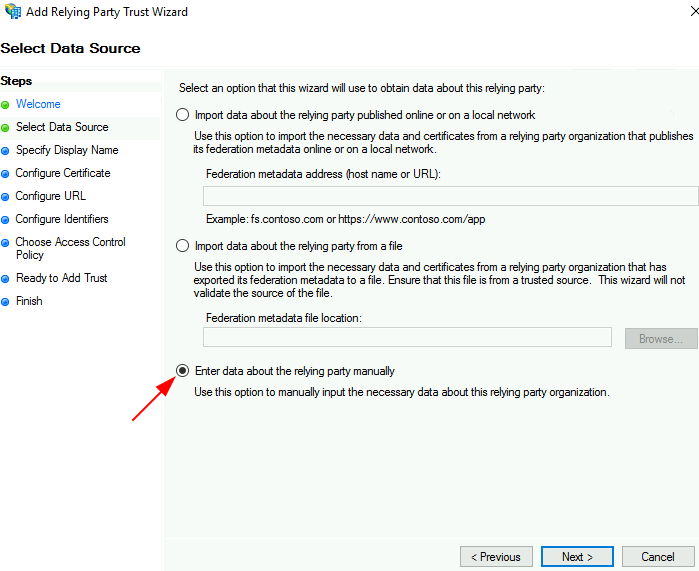
input a display name > Next > Next > input the URL to the relying party trust > Next > Next > Next > Close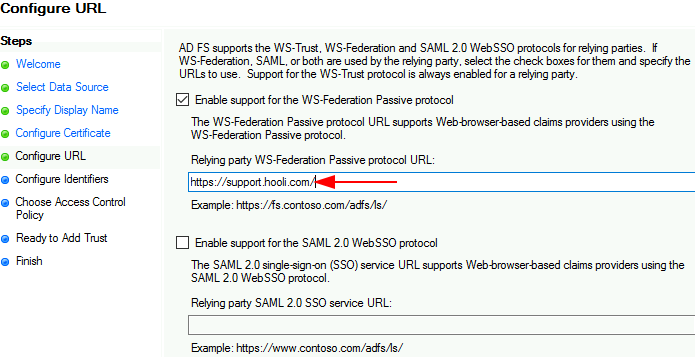
Right-click the newly created IFD > Edit Claim Issurance Policy > Next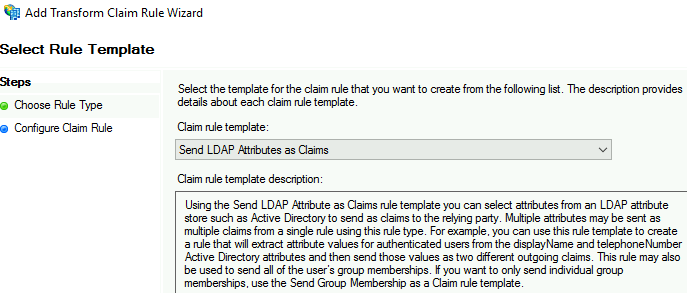
Input rule name and LDAP attributes > Select ‘Active Directory’ as Attribute store > set Given-Name as Name, User-Principle-Name as UPN > click Finish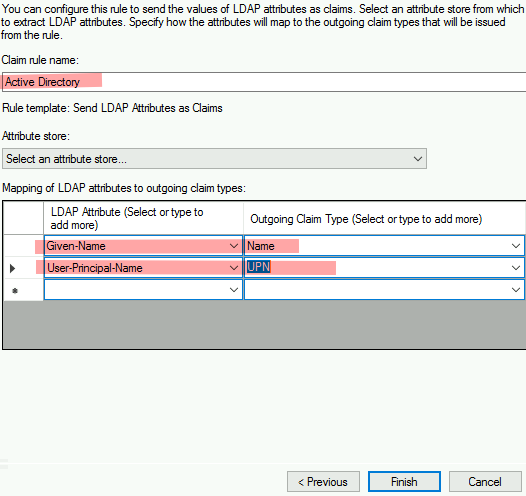
Alternative path: Importing the federation metadata published online or local network…
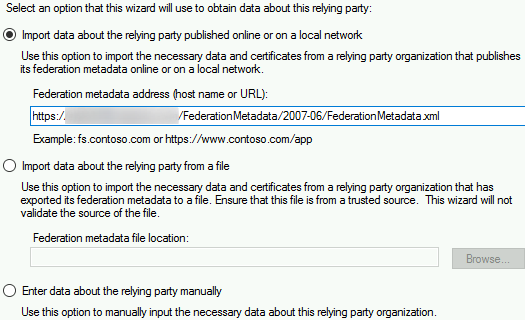
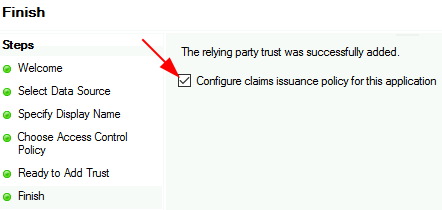
Input a display name such as support.kimconnect.com > Next > Left default option to ‘permit everyone’ as-is > Next > Next > leave the check-mark next to ‘Configure claims issuance policy for this application’ toggled > Close