Symptom:
When attempting to open a Java Web Application such as iDrac console, this error occurs: ‘Your security settings have blocked a self-signed application from running’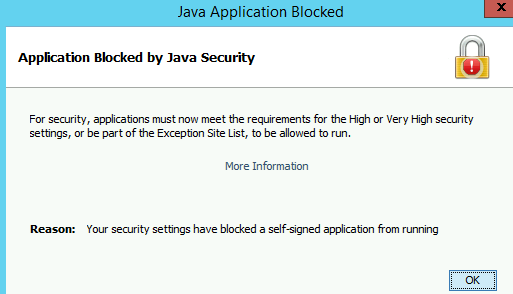
Resolution:
Run control.exe > Java Control Panel > Security > click on Edit Site List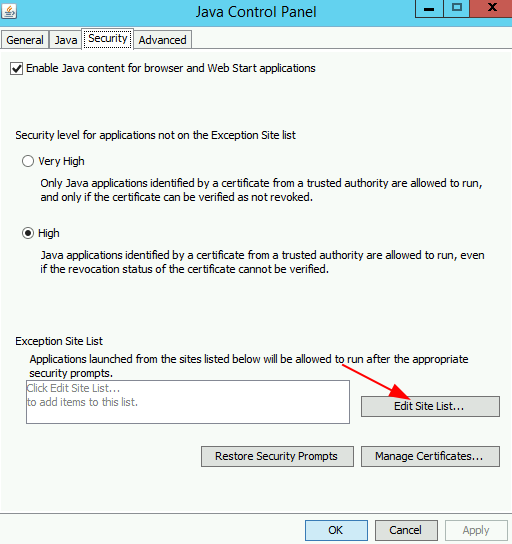
Add the URLs of the sites to be on the exceptions list > click OK when done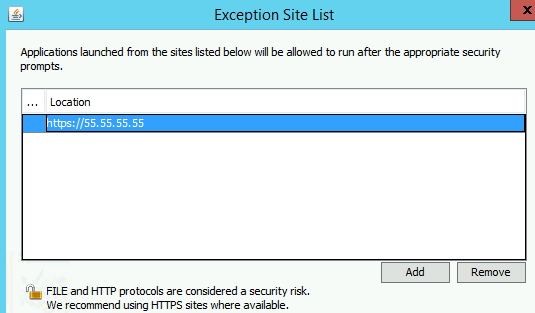
Now retry running the .JNLP application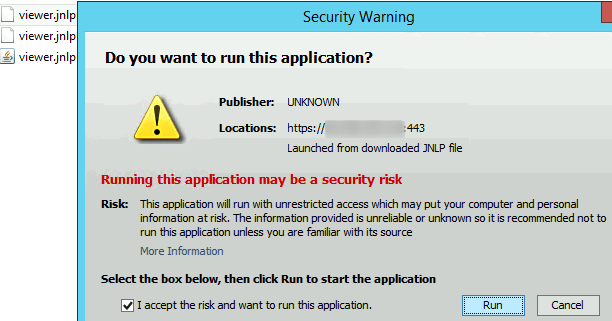
Next Problem:
As of 2020, the updated versions of Java Runtime are JRE8 or JRE9. Those have built-in security mitigation that would prevent successful connections to legacy Java Applets; hence, errors such as these would occur: ‘Connecting to Virtual Console Server. Connection Failed.’
The workaround:
Uninstall all Java Runtime versions higher than 7.0.75, and then install Jre7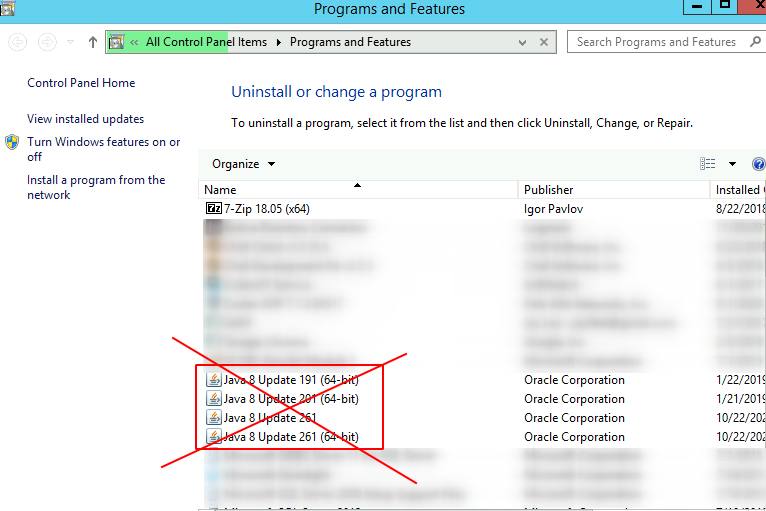
Run appwiz.cpl > right-click on all Java Runtime version 8 or higher > Uninstall > run these commands in PowerShell:
# Install Chocolatey
if (!(Get-Command choco.exe -ErrorAction SilentlyContinue)) {
[Net.ServicePointManager]::SecurityProtocol = [Net.SecurityProtocolType]::Tls12
Set-ExecutionPolicy Bypass -Scope Process -Force; iex ((New-Object System.Net.WebClient).DownloadString('https://chocolatey.org/install.ps1'))}
choco uninstall javaruntime -y
choco install javaruntime --version=7.0.75 -y
