Posted On December 18, 2020

How to Create USB Bootable Drive on Ubuntu

kimconnect 0 comments
blog.KimConnect.com >> Linux >> How to Create USB Bootable Drive on Ubuntu

Navigate to Start Menu > System Tools > Startup Disk Creator

Verify that the Source ISO and Destination Device are correct > click Make Startup Disk
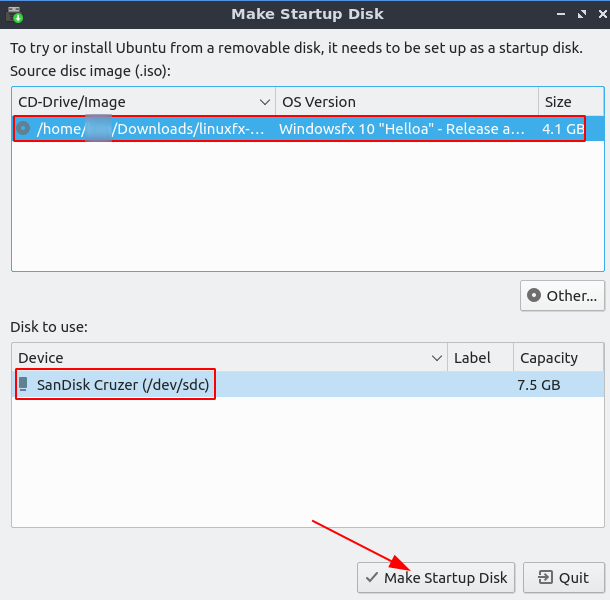
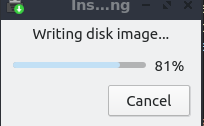
Input the system administrator or root password > wait for the progress bar to display completion
If there are no errors, this finishing screen should display > click OK
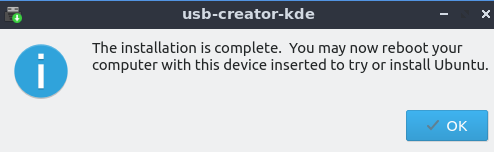
Although the prompt is intended to instruct the user to install Ubuntu on the host device, the correct interpretation would be to ignore that advise by unplugging the USB storage (gracefully) from the computer. This thumb drive would then be ready to insert into any target system to install the OS image that it contains.

Leave a Reply

Your email address will not be published. Required fields are marked *

Related Post

Ubuntu Linux: Unable to Write to a Mounted Media

Issue: Unable to create an object in a certain mounted media directory Resolution: Discover mounted…

Ping Command’s First Packet Toward LDAP Server(s) Takes 2 Seconds to Start

Case 1: Are DNS servers working? dig returns results right away => defined dns servers…

Windows WSL: How to Fix Broken bashrc File

Problem: When there's an incorrect setup of Windows Subsystem for Linux (WSL), where $HOME/.bashrc is…
