Posted On November 19, 2021

How To Disable Startup Automatic Repair

kimconnect 0 comments
blog.KimConnect.com >> Windows >> How To Disable Startup Automatic Repair
Problem:

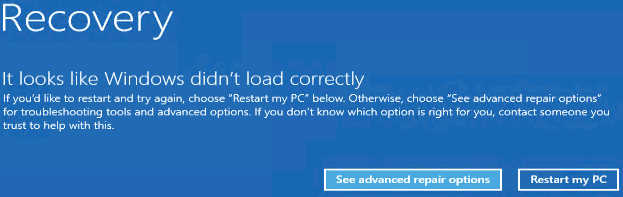
Sometimes, a certain virtual machine would not boot correctly when it’s being moved between Hyper-V hosts. An error such as this would result
Resolution:

Addressing the root cause of unplanned reboots is beyond the scope of this blog. The following command would ensure that those guest VMs would not load automatic repair upon abrupt shutdowns.

write-host "Disabling Automatic Startup Repair..."
$null=cmd.exe /c "bcdedit /set {default} recoveryenabled No"
$null=cmd.exe /c "bcdedit /set {default} bootstatuspolicy ignoreallfailures"
 
Note: command cannot be invoked in PowerShell directly; hence the cmd.exe call is necessary

Leave a Reply

Your email address will not be published. Required fields are marked *

Related Post

How to Know if Your Colleague is a God (Like Thor)?

Sometimes, I sit back and watch the mind games in politics, companies, churches, and even…

Hacking 101: Domain Controllers as One of the Many Usual Targets

A potential bad actor's full network penetration repertoire is beyond the scope of this article.…

Deploying LDAP / Active Directory Self Service Password Portal

Overview: There are several choices of platforms to deploy Password Manager: Kubernetes, Docker, Windows, and…

