Option 1:
- Backup the configs of the old controller
- Restore the configs to the new controller
Option 2:
- SSH into AP with previous controller’s username & password
- Reset the AP with this command: ‘syswrapper.sh restor-default’
- Reconnect to AP with default credentials ubnt/ubnt
- Type:
mca-cli shell>set-inform x.x.x.x:8080/inform(x.x.x.x is the ip of the new unifi controller)mca-cli shell
set-inform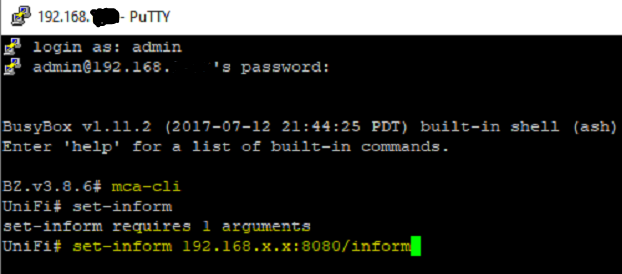
- Logon to new controller and verify that such AP has been adopted
Sample Output:
rambo@Unifi-Controller:/home/rambo# ssh [email protected]
[email protected]'s password:

BusyBox v1.25.1 () built-in shell (ash)
  ___ ___      .__________.__
 |   |   |____ |__\_  ____/__|
 |   |   /    \|  ||  __) |  |   (c) 2010-2020
 |   |  |   |  \  ||  \   |  |   Ubiquiti Networks, Inc.
 |______|___|  /__||__/   |__|
            |_/

      Welcome to UniFi UAP-AC-Pro-Gen2!
UBNT-BZ.v4.3.21# mca-cli shell
UniFi# set-inform 192.168.0.100:8080/inform

Adoption request sent to '192.168.0.100:8080/inform'.  Use the controller to complete the adopt process.
Please note that your SSH session will automatically exit once the device has been ‘adopted’ by the controller.
Categories:
