Posted On April 8, 2019

How to Use QRadar to Search for a Windows Account Activities

kimconnect 0 comments
blog.KimConnect.com >> Windows >> How to Use QRadar to Search for a Windows Account Activities

Log into https://qradar/console/qradar/jsp/QRadar.jsp

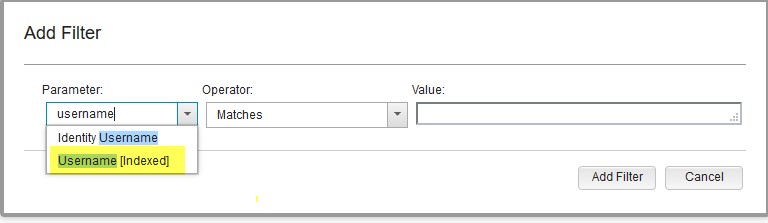
Log Activity > Add Filter > Parameter=Username[Indexed] | Operator=Equals any of | Value=”UserName” > click on ‘+’ sign > click Add Filter
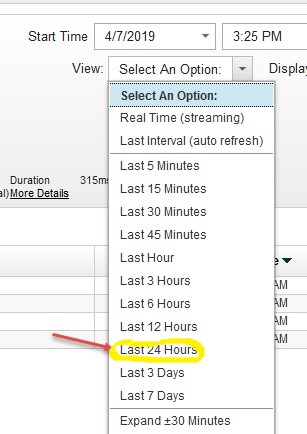
Click on View > Selection An Option = Last 24 hours
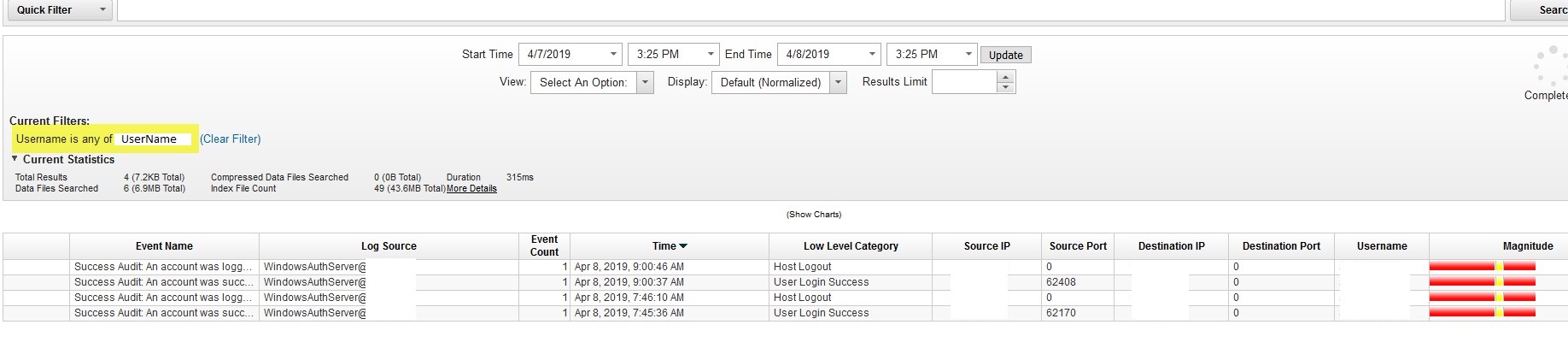
Wait for progress to complete > view through any resulting item
Leave a Reply

Your email address will not be published. Required fields are marked *

Related Post

How to generate a list of currently active users on the domain along with their PC names

There's a free tool that would enable an administrator view the current active accounts within…

Disk Partitioning & Formatting Reference

Refer to this table as a reference on sector/cluster size leading to maximum storage per…
