Posted On March 29, 2019

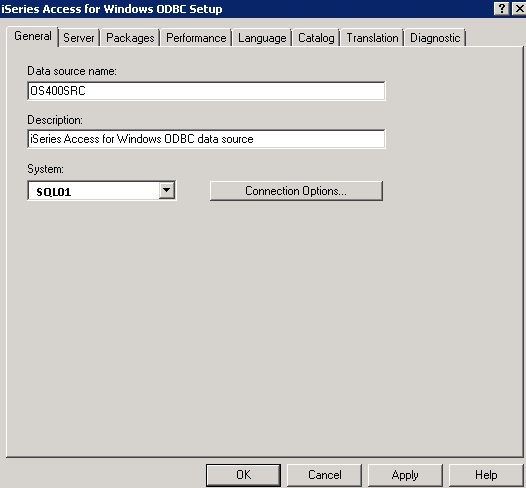
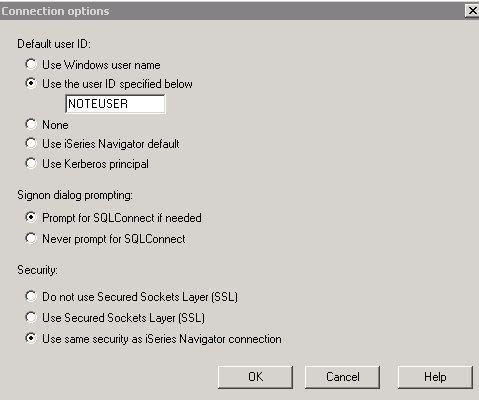
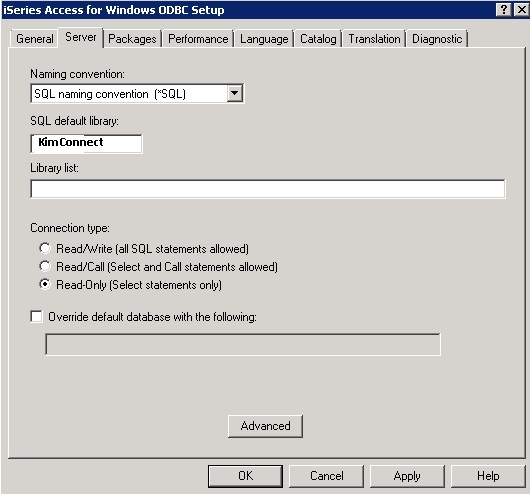
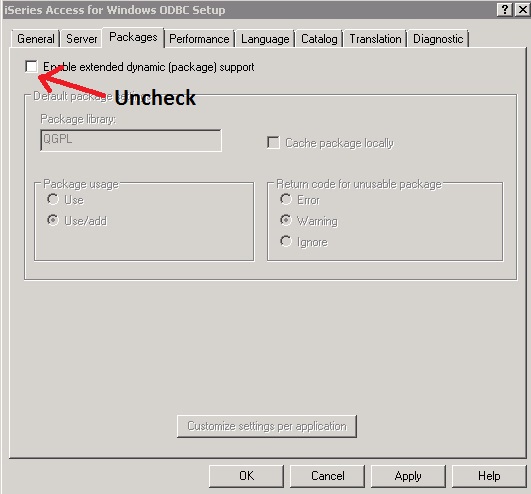
iSeries Access ODBC Setup

kimconnect 0 comments
blog.KimConnect.com >> Database , Windows >> iSeries Access ODBC Setup

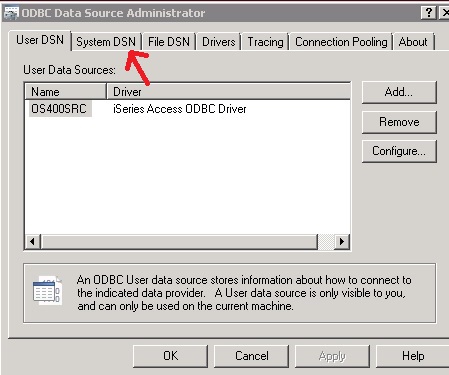
Run ODBC Data Source Administrator > click on System DSN

Leave a Reply

Your email address will not be published. Required fields are marked *

Related Post

SQL: DELETE FROM Statement

DELETE FROM `Profiles` WHERE Picture = '0'--------------------------------------------------Change password to "sexcenter"UPDATE `Profiles`SET Password = '5863294bde549649adab89940c3e09ea'WHERE Password…

How to transport Outlook contacts

Export your contacts from Outlook: In Outlook, on the File menu, click Import and Export.…

Enable File Server to Have Multiple Alias Host Names

Regedit: HKEY_LOCAL_MACHINE\SYSTEM\CurrentControlSet\Control\Lsa\MSV1_0, create Multi-String Value = BackConnectionHostNames with values of the CNAMES of the file…