There are two ways to obtain product keys:
Way 1: https://learn.microsoft.com/en-us/windows-server/get-started/automatic-vm-activation
Way 2: Issue a PowerShell command to obtain product key from an existing system
(Get-WmiObject -query "select * from SoftwareLicensingService").OA3xOriginalProductKey
Output
PS C:\Windows\system32> (Get-WmiObject -query "select * from SoftwareLicensingService").OA3xOriginalProductKey
55555-55555-55555-55555-55555
How to Apply a Product Key to Windows Evaluation versions
# Check Available Editions
PS C:\Windows\system32> Dism /Online /Get-TargetEditions

Deployment Image Servicing and Management tool
Version: 10.0.17763.1

Image Version: 10.0.17763.503

Editions that can be upgraded to:

Target Edition : ProfessionalEducation
Target Edition : ProfessionalWorkstation
Target Edition : Education
Target Edition : ProfessionalCountrySpecific
Target Edition : ProfessionalSingleLanguage
Target Edition : ServerRdsh
Target Edition : Enterprise
# Convert Windows Edition using a valid Product Key
PS C:\Windows\system32> Dism /online /Set-Edition:ServerDatacenter /AcceptEula /ProductKey:55555-55555-55555-55555-55555

Deployment Image Servicing and Management tool
Version: 10.0.17763.1

Image Version: 10.0.17763.503

Error: 50

Setting an edition is not supported with online images.

The DISM log file can be found at C:\Windows\Logs\DISM\dism.log
Note that the example above doesn’t work because it’s not possible to use DISM to convert from Windows 10 to Windows Server 2016. Here’s a sample output of a successful move:
PS C:\Users\Administrator> DISM.exe /Online /Get-TargetEditions

Deployment Image Servicing and Management tool
Version: 10.0.14393.0

Image Version: 10.0.14393.2457

Editions that can be upgraded to:

Target Edition : ServerDatacenter

The operation completed successfully.
PS C:\Users\Administrator> DISM /online /Set-Edition:ServerStandard /ProductKey:TMJ3Y-NTRTM-FJYXT-T22BY-CWG3J /AcceptEul
a

Deployment Image Servicing and Management tool
Version: 10.0.14393.0

Image Version: 10.0.14393.2457


Error: 50

This Windows image cannot upgrade to the edition of Windows that was specified. The upgrade cannot proceed.
Run the /Get-TargetEditions option to see what edition of Windows you can upgrade to.

The DISM log file can be found at C:\Windows\Logs\DISM\dism.log
PS C:\Users\Administrator> DISM /online /Set-Edition:ServerDatacenter /ProductKey:TMJ3Y-NTRTM-FJYXT-T22BY-CWG3J /AcceptE
ula

Deployment Image Servicing and Management tool
Version: 10.0.14393.0

Image Version: 10.0.14393.2457

Starting to update components...
Starting to install product key...
Finished installing product key.

Removing package Microsoft-Windows-ServerDatacenterEvalEdition~31bf3856ad364e35~amd64~~10.0.14393.0
[==========================100.0%==========================]
Finished updating components.

Starting to apply edition-specific settings...
Finished applying edition-specific settings.

The operation completed successfully.
Restart Windows to complete this operation.
Do you want to restart the computer now? (Y/N) n
Another utility called ChangePK.exe is a GUI version that can do a similar task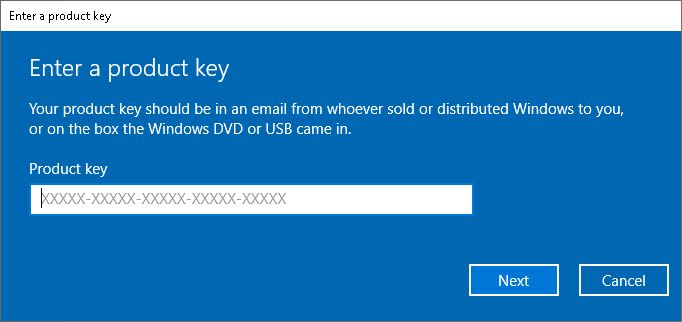
Moreover, the automated option for AD joined computers is to use the Windows Imaging and Configuration Designer (ICD), available at this link: https://download.microsoft.com/download/9/A/E/9AE69DD5-BA93-44E0-864E-180F5E700AB4/adk/adksetup.exe
Use the downloaded utility to create provisioning packages (.ppkg) that can convert Windows 10 Editions without the need to reinstall Windows. The bonus functions are to streamline WiFi networks, add certificates, connect to Active Directory, enroll a device in Mobile Device Management aka MDM.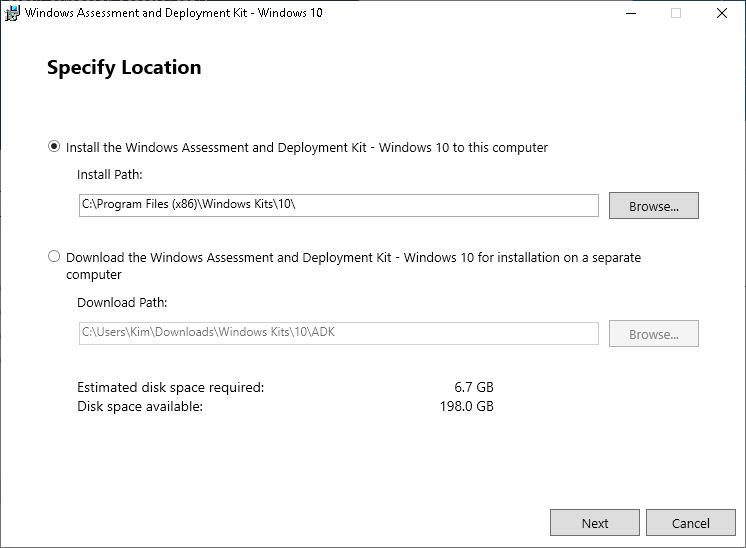
You like? Unfortunately, me-no-like because illustrating those other stuff is beyond the scope of this topic.
