Posted On December 28, 2020

PowerShell: Reset Windows 10 to Default Factory Settings

kimconnect 0 comments
blog.KimConnect.com >> Codes >> PowerShell: Reset Windows 10 to Default Factory Settings
The easiest (GUI) method:
systemreset -cleanpc
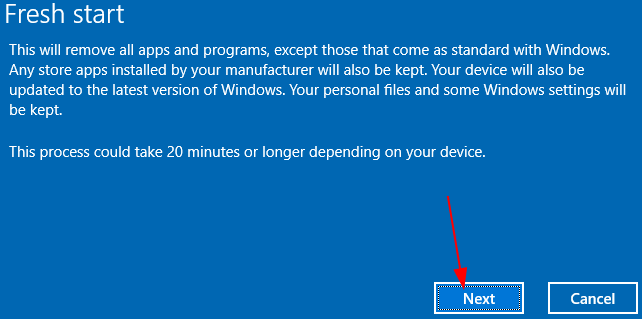
The automated method:
# Experimental code: not working yet
$computerName=$env:computername
$namespaceName = "root\cimv2\mdm\dmmap"
$className = "MDM_RemoteWipe"
$methodName = "doWipeMethod"
$params = New-Object Microsoft.Management.Infrastructure.CimMethodParametersCollection
$newParam = [Microsoft.Management.Infrastructure.CimMethodParameter]::Create("param", "", "String", "In")
$params.Add($newParam)
$instance = Get-CimInstance -Namespace $namespaceName -ClassName $className -Filter "ParentID='./Vendor/MSFT' and InstanceID='RemoteWipe'"
$session = New-CimSession -computername $computerName
$session.InvokeMethod($namespaceName, $instance, $methodName, $params)

Leave a Reply

Your email address will not be published. Required fields are marked *

Related Post

WinRM and Trusted Hosts for Non-Domain Computers

Error: [TESTWINDOWS] Connecting to remote server TESTWINDOWS failed with the following error message : Access…

Methods to Embed JavaScript Codes into WordPress

Insert Headers and Footers Plugin - automatically apply script site wide Shortcoder Plugin - make…

Basic HTML and HTML5: Nest an Anchor Element within a Paragraph

<h2>CatPhotoApp</h2><main><a href="http://freecatphotoapp.com" target="_blank">cat photos</a><img src="https://bit.ly/fcc-relaxing-cat" alt="A cute orange cat lying on its back."><p>Kitty ipsum dolor…
