Update 11/29/2020: the ‘redirect local microphone’ option is now simply a check-mark on Remmina version 1.4.2. There’s no longer a need to paste these lines as shown below.
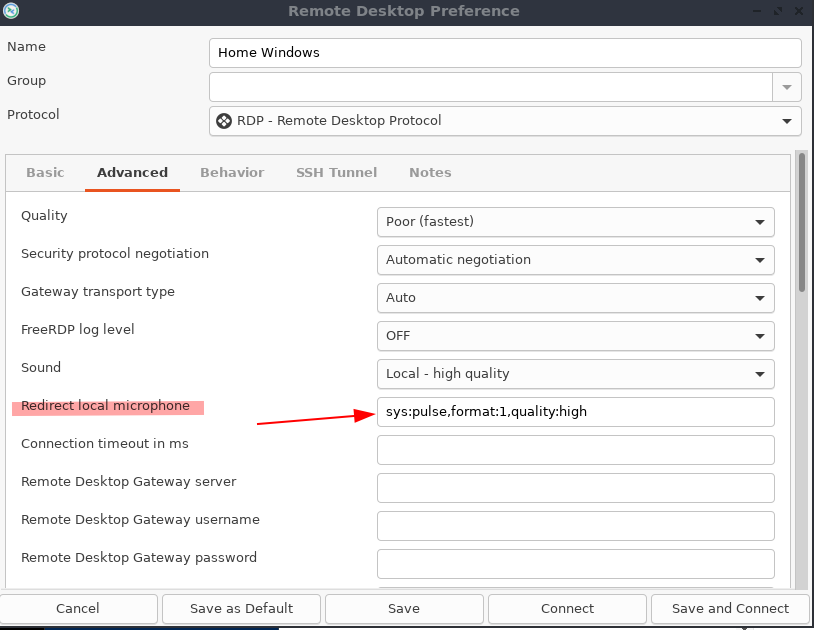
On certain linux hosts, microphones may not automatically pass through RDP sessions being facilitated by Remmina. In which case, it’s necessary to manually input one of these 2 values (not both) in the RDP config window:
sys:pulse,format:1,quality:high
sys:alsa,format:1,quality:high
Categories:

navin
redirect local microphone option is not showing for me. which version i need to use for this, can you give the package link.
kimconnect
Remmina version 1.4.2 was that last that I’ve used. I haven’t been using this app for awhile, unfortunately.