Symptom
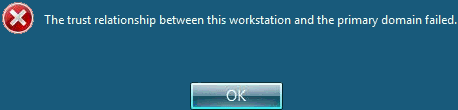
Remote desktop initiation toward a certain server would result in an error message with this verbiage: ‘The trust relationship between this workstation and the primary domain failed.’
Background Information
-
-
Each domain joined computer has a unique computer account SID and a password that resets at a regular interval (30 days by default)
-
The computer account and password authenticates to its domain controller using the Kerberos protocol and store tokens locally
-
Kerberos Token is dependent on a time sync between the localhost and the domain controller
-
Kerberos Version 5 has a default maximum tolerance for computer clock synchronization of 5 minutes
-
If the time sync difference is over a that threshold, that token becomes invalidated and computer cannot authenticate to the domain
-
Once a computer cannot authenticate to the domain, domain users cannot logon to that machine
- Valid local computer accounts can still logon as that does not depend on Kerberos nor Windows Time.
-
Probable Cause Analysis
-
-
The Windows W32Time service has stopped long enough for the computer time to drift past the 5-minute difference – this is most likely the direct cause. To drill down further, one may check OS stability (CPU, RAM, and storage utilization alerts).
-
Network outage or firewall blockage of port UDP/123 – this is unlikely for servers that are physically assigned to a stable location
-
BIOS time is incorrect due to a dead CMOS battery (or no battery as in the case of virtual machines)
-
Resolutions
-
Immediate options:
- Manual change to computer time to match that of the DC
-
Un-join and rejoin computer to the domain
-
Long-term:
-
Ensure that server is healthy, having adequate RAM, CPU, and storage resources
-
No network or firewall problems
-
W32Time is properly set and running with this config:
- PDC: ntp.org
- Other machines: DOMHIER, ntp.org
-
Categories:
