Posted On January 11, 2022

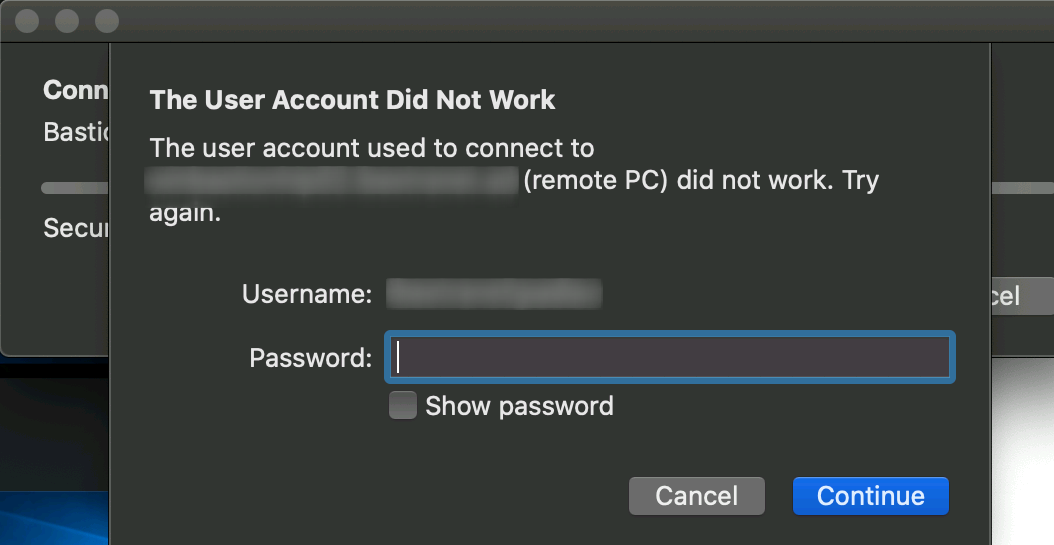
Remote Desktop Logon Error: ‘the user account used to connect to remote PC did not work

kimconnect 0 comments
blog.KimConnect.com >> Windows >> Remote Desktop Logon Error: ‘the user account used to connect to remote PC did not work

Symptom:

The user account did not work error

Resolution:
In the instance that we’ve experienced, it turns out that the user account’s password has expired. Resetting that account’s password has resolved the issue.

Leave a Reply

Your email address will not be published. Required fields are marked *

Related Post

How to increase the database size limit on Exchange 2003 SP2

Connect to the Server that is running Exchange 2003 SP2 Click Start > Run >…

Windows 2012 Maintenance

- Check if .NET Framework 4.5 is installed: (Get-ItemProperty -Path 'HKLM:\Software\Microsoft\NET Framework Setup\NDP\v4\Full' -ErrorAction SilentlyContinue).Version…

List Autorun Services

# $cred = get-Credential -credential kdoan-a $Username = 'kimconnect\kim-Admin $Password = 'PASSWORD' $pass = ConvertTo-SecureString…