Scenario:
A USB disk has been mounted as a data store and subsequently removed. This error would occur via the UI
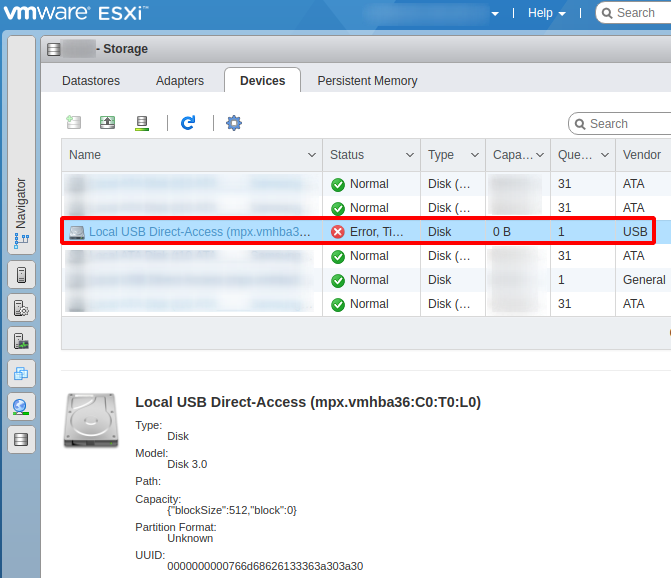
SSH session into the console of ESXi host would yield some errors such as this:
Rescan complete, however some dead paths were not removed because they were in use by the system. Please use the 'storage core device world list' command to see the VMkernel worlds still using these paths.
A fix to that would to be ensure that guest VMs are no longer attached to the ‘dead’ data store. Once that is done, the physically detached USB drive would be automatically unmounted and and removed as a listed data store on a rescan. Also these two commands would be necessary:
/etc/init.d/hostd restart
/etc/init.d/vpxa restart
Although the data store has been removed, it’s stale pointer toward a physically removed USB device would still show vie the ls /dev/disks command. Thus, rebooting the ESXi host would be the last step to effectively remove a ‘dead’ USB mounted data store from the machine.
Categories:
