Posted On January 23, 2021

Ubuntu: Disable Annoying Update Notifier

kimconnect 0 comments
blog.KimConnect.com >> Linux >> Ubuntu: Disable Annoying Update Notifier

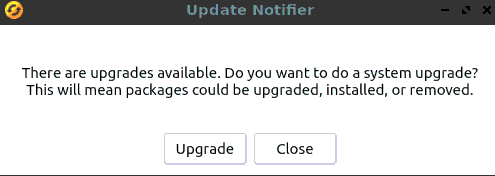
Want to get rid of this?
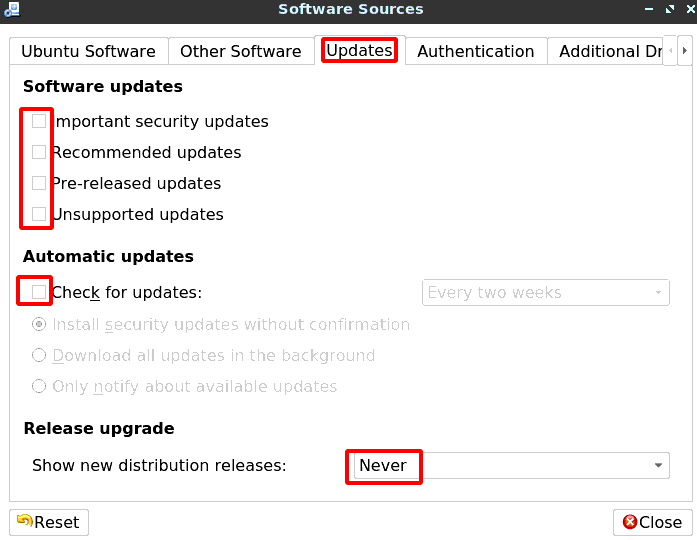
Ubuntu: Go to System > Administration > Software Sources (or run: software-properties-qt) > select the Updates tab > untick all check-boxes > close
Leave a Reply

Your email address will not be published. Required fields are marked *

Related Post

Linux: Init Process in the Background and Detach

# Define program program=remmina # Method 1 nohup $program & # Method 2 $program &…

Kubernetes Broken Due To Unknown Reasons

Problem 1: Admin User Unable to Login to Cluster via Controller (Master Node) # SSL…

Install phpMyAdmin in Centos 5.3

# Prerequisite: must install RPMForge Repo prior   yum install httpd php php-mysql php-gd php-mbstring…
