Issue:
Unable to create an object in a certain mounted media directory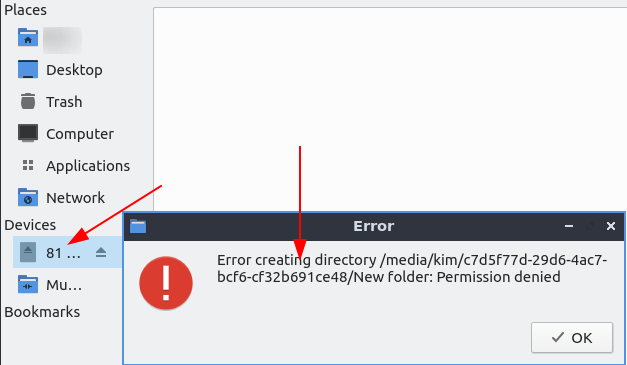
Resolution:
Discover mounted directories in the Linux machine
kim@kimlinux:~$ lsblk
NAME MAJ:MIN RM SIZE RO TYPE MOUNTPOINT
sda 8:0 0 14.9G 0 disk
└─volumegroup1-vmstorage1 253:1 0 75.6G 0 lvm /media/kim/c7d5f77d-29d6-4ac7-bcf6-cf32b691ce48
sdb 8:16 0 477G 0 disk
├─sdb1 8:17 0 300M 0 part /boot/efi
├─sdb2 8:18 0 400G 0 part /
└─sdb3 8:19 0 76.7G 0 part
├─volumegroup1-swap 253:0 0 16G 0 lvm [SWAP]
└─volumegroup1-vmstorage1 253:1 0 75.6G 0 lvm /media/kim/c7d5f77d-29d6-4ac7-bcf6-cf32b691ce48

kim@kimlinux:~$ ls -la /media/kim/c7d5f77d-29d6-4ac7-bcf6-cf32b691ce48
total 4
drwxr-xr-x 2 root root 6 Aug 26 22:21 .
drwxr-x---+ 4 root root 4096 Sep 29 21:09 ..
From the output above, it appears that such directory has been owned by root, and it’s secured with root permissions. Hence, normal users shouldn’t have access to it by design. If one wants to bypass this, one may set permissions toward such directory:
chmod ugo+rwx foldername # to give read, write, and execute to everyone.
chmod a=r foldername # to give only read permission for everyone.
Categories:
