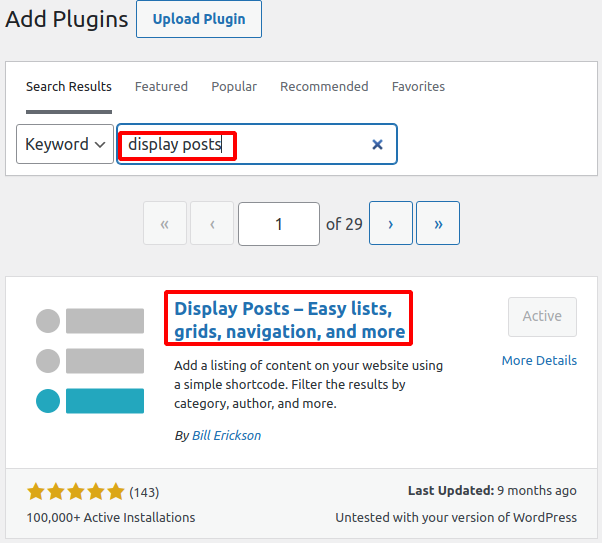
A. Install the ‘Display Posts’ plugin
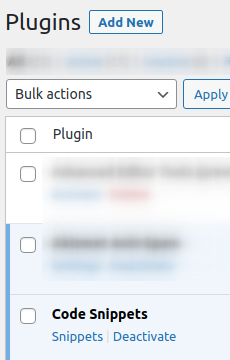
B. Install the ‘Code Snippets’ plugin
C. Add this code snippet
/**
* Display Posts, use first attached image
* @link https://displayposts.com/2019/10/16/display-image-from-post-content-if-no-featured-image/
*/
function be_dps_first_image( $output, $original_atts, $image, $title, $date, $excerpt, $inner_wrapper, $content, $class, $author, $category_display_text ) {

// Only run if image_size is set and no featured image
if( empty( $original_atts['image_size'] ) || !empty( $image ) )
return $output;

$images = new WP_Query( array(
'post_parent' => get_the_ID(),
'post_type' => 'attachment',
'post_mime_type' => 'image',
'post_status' => 'inherit',
'posts_per_page' => 1,
'order' => 'ASC',
'fields' => 'ids',
));

if( !empty( $images->posts ) ) {
$image = '<a href="' . get_permalink() . '" class="image">' . wp_get_attachment_image( $images->posts[0], $original_atts['image_size'] ) . '</a>';
$output = '<' . $inner_wrapper . ' class="' . implode( ' ', $class ) . '">' . $image . $title . $date . $author . $category_display_text . $excerpt . $content . '</' . $inner_wrapper . '>';
}

return $output;
}
add_filter( 'display_posts_shortcode_output', 'be_dps_first_image', 10, 11 );
D. Add this CSS into Appearance > Customize > Additional CSS
.display-posts-listing.image-left .listing-item {
overflow: hidden;
margin-bottom: 32px;
width: 100%;
}

.display-posts-listing.image-left .image {
float: left;
margin: 0 16px 0 0;
}

.display-posts-listing.image-left .title {
display: block;
}

.display-posts-listing.image-left .excerpt-dash {
display: none;
}
Categories: