Posted On March 28, 2019

IIS Mime Types

kimconnect 0 comments
blog.KimConnect.com >> Codes , Windows >> IIS Mime Types

One of the features of IIS security is to enforce file access by its associated extensions. As such, objects that are not set in IIS with a specific type association such as .zhp (Swiftview proprietary extension) would not be rendered by a client browser. To resolve such quirk, one would need to manually add a new entry onto the “MIME types” using the convention as recommended by the software vendor. The procedure to accomplish similar task is as follows:

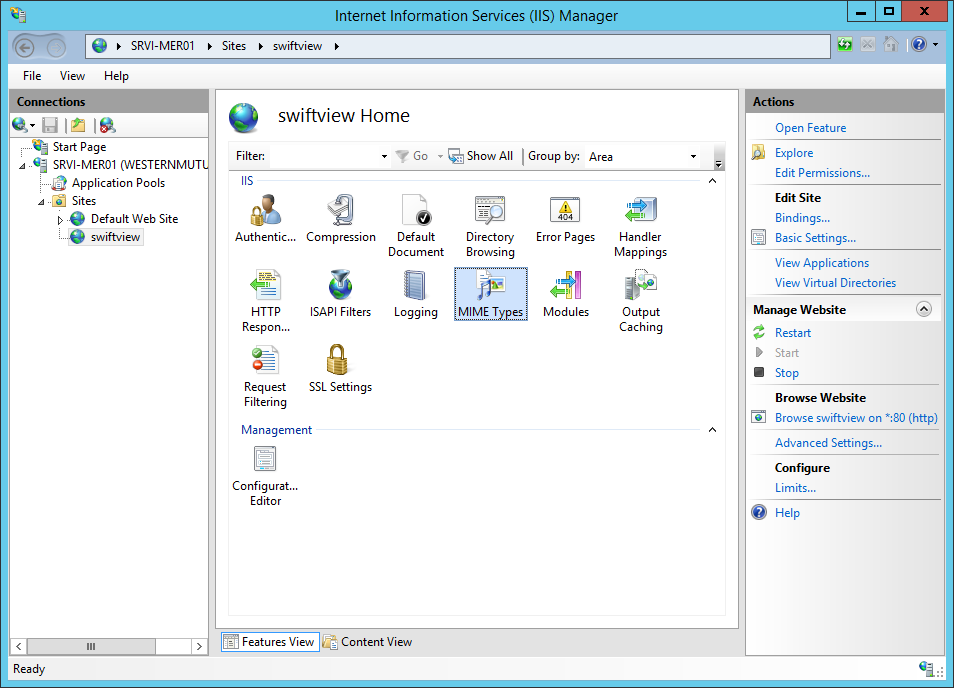
Step 1: open IIS >> browse to the specific “site” such as the one below >> double-click on the “MIME Types” icon
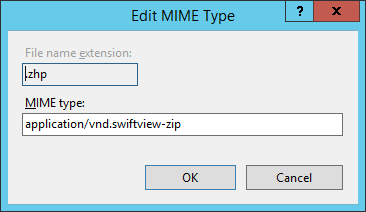
Step 2: click on the “Add” button from the right hand side of Actions menu >> type in the information below
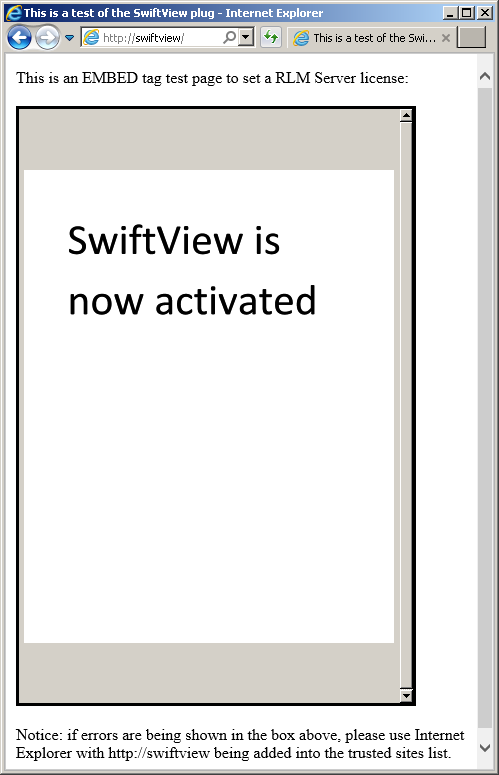
Step 3: on a Windows client, open Internet Explorer and browse toward the site via its FQDN to verify the application’s successful execution

Leave a Reply

Your email address will not be published. Required fields are marked *

Related Post

Basic CSS: Override Styles in Subsequent CSS

<style>body {background-color: black;font-family: monospace;color: green;}.pink-text {color: pink;}</style><h1 class="pink-text">Hello World!</h1>

Exchange Email Sending Status code: 550 5.7.133

Error Message: The group <group name> only accepts messages from people in its organization or…

Credit_Invoice_Reprints_ZZ6_7_8.bat

fsguiapp.exe -cm:\mfgsys\fs.cfg -iZZ1{TAB}y2k99{CR}bexe{ESC}zz6{CR}M:\cabsauto\timeout 15fsguiapp.exe -cm:\mfgsys\fs.cfg -iZZ2{TAB}y2k99{CR}bexe{ESC}zz7{CR}M:\cabsauto\timeout 15fsguiapp.exe -cm:\mfgsys\fs.cfg -iZZ3{TAB}y2k99{CR}bexe{ESC}zz8{CR}rem M:\cabsauto\timeout 15rem fsguiapp.exe -s -cm:\mfgsys\fs.cfg -iZZ4{TAB}y2k99{CR}bexe{ESC}zz4{CR}