Posted On November 6, 2020

An authentication error has occurred (Code: 0x80004005)

kimconnect 0 comments
blog.KimConnect.com >> Windows >> An authentication error has occurred (Code: 0x80004005)

Symptom:

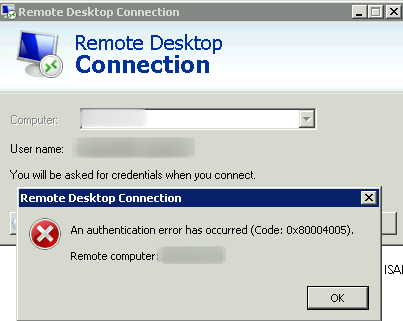
[Window Title]
Remote Desktop Connection

[Content]
An authentication error has occurred (Code: 0x80004005).

Remote computer: 192.168.1.54

[OK]
Cause:

This problem may occur if a file that the Windows Product Activation (WPA) requires is damaged or missing. This behavior occurs if one or both of the following conditions are true:

  • A third-party backup utility or an antivirus program interferes with the installation of Windows XP.
  • A file that WPA requires is manually modified.

Source:

Solution:

  1. If the target machine isn’t domain joined, ensure that the username is prefixed with that machine name or ip (e.g. TESTBOX\Administrator)
  2. Use the original Windows CD to restore the licensing files as per instructions via the source link above.

Leave a Reply

Your email address will not be published. Required fields are marked *

Related Post

Windows Quick Short-cuts

Quick short-cuts:sysdm.cplcontrol printersdesk.cplpowercfg.cplncpa.cplgpedit.msccompmgmtlauncherwscui.cplfsmgmt.mscmsinfo32cleanmgr

Set NTP on Primary Domain Controller

Intro: Here is some general information to on the network time synchronization protocol (NTP) topic:…

Script to Disable User Accounts

accountsToDisable.txtorangeapplepeartermed user REM disableAccounts.batREM read accountsToDisable.txt and convert names into proper DN entries. Save result…
