Posted On March 11, 2023

Linux: how to bypass login keyring prompts

kimconnect 0 comments
blog.KimConnect.com >> Linux >> Linux: how to bypass login keyring prompts
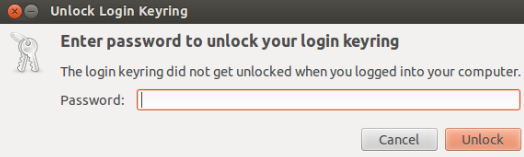
Error Message: 

Something along the line of ‘keyring default keyring but it is locked’
Resolution:
CLI Method:
oldPassword=yourOldPasswordHere
echo python -c "import gnomekeyring;gnomekeyring.change_password_sync('login', '$oldPassword', '');"
GUI Method:

Run Seahorse:
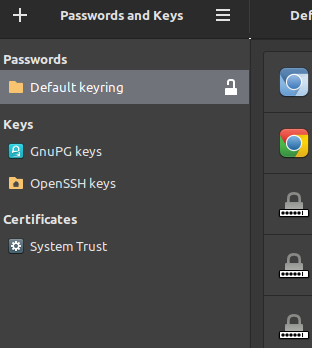
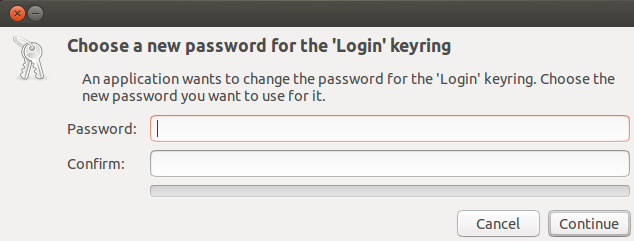
Right-click ‘Default keyring’ > Change Password > Input old password > Continue > leave these fields blank > Continue
Leave a Reply

Your email address will not be published. Required fields are marked *

Related Post

Install Apache2 with PHP and Ruby on CentOS 5.2

yum install php php-devel php-gd php-imap php-ldap php-mysql php-odbc php-pear php-xml php-xmlrpc curl curl-devel perl-libwww-perl…

How to Upgrade Linux Mint from 20.03 to 21 via Command Line

Step 1: sudo apt updatesudo apt install mintupgrade Step 2: sudo mintupgrade Troubleshooting: Error message:…

Firewall-Cmd

# Show all zonesfirewall-cmd --get-zones# Show Active Zonesfirewall-cmd --get-active-zones# Show Trusted Zonefirewall-cmd --list-all --zone=trusted# Set…
