Posted On October 30, 2020

Moving WSUS Content Staging Folder

kimconnect 0 comments
blog.KimConnect.com >> Windows >> Moving WSUS Content Staging Folder

Symptom:

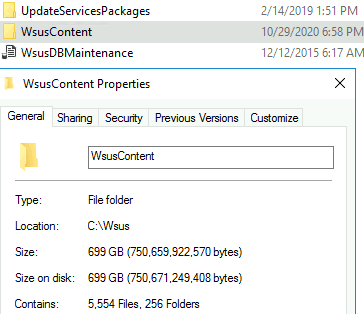
Bloated Wsus Staging Folder:
Resolution:

$wsusNewContentFolder='D:\Wsus\WsusContent'
stop-service 'wsus service'
&'C:\Program Files\Update Services\Tools\wsusutil.exe' movecontent $wsusNewContentFolder "$wsusNewContentFolder.log"
start-service 'wsus service'

Leave a Reply

Your email address will not be published. Required fields are marked *

Related Post

How to change product ID and install new CD Key for Windows

Regedit >> browse to HKEY_LOCAL_MACHINE\Software\Microsoft\Windows NT\Current Version >> change ProductID to new value >> exit…

How to Install SSL Certificate(s) on Various Web Servers

Public facing websites often become become targets of attacks such as eavesdropping, denial of service,…

Cisco Agent Desktop Common Issues

“License Server is Down” error resolution: Go to  "C:\Program Files (x86)\Cisco\Desktop\bin" >> SHIFT + right-click,…
