Posted On June 27, 2019

Outlook Error: An Encrypted Connection Not Available

kimconnect 0 comments
blog.KimConnect.com >> Windows >> Outlook Error: An Encrypted Connection Not Available

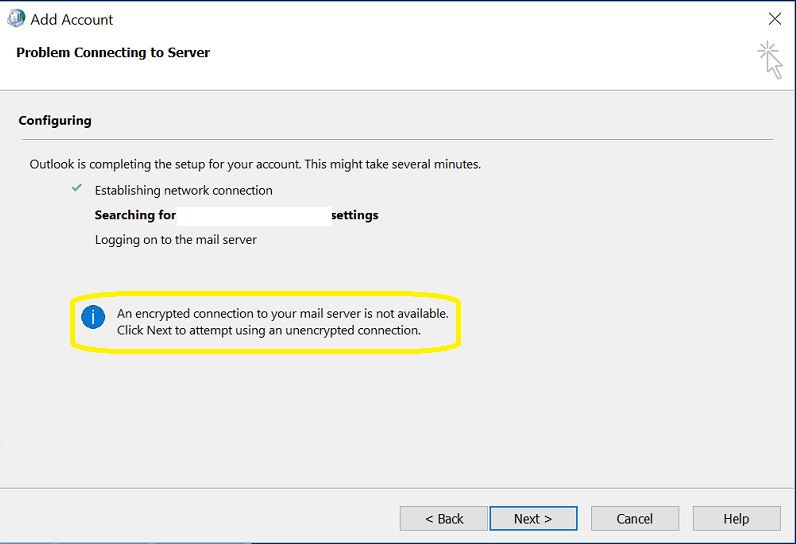
Symptom:

The Fix:

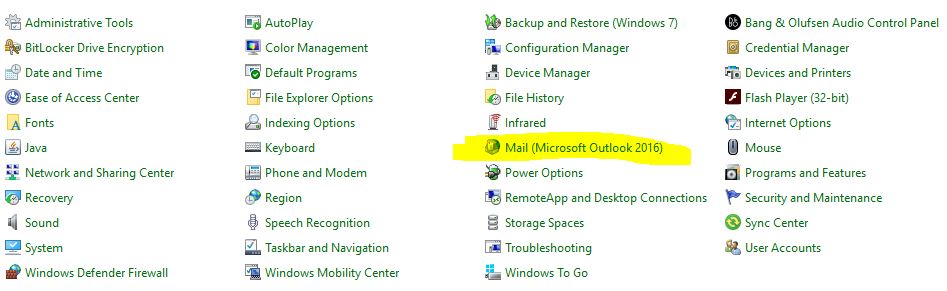
Run: control.exe > click on Mail

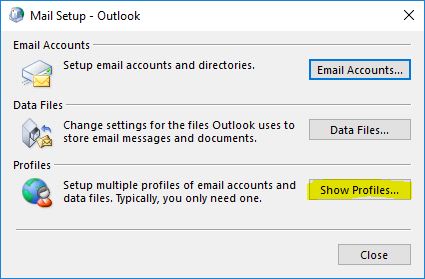
Click on Show Profiles
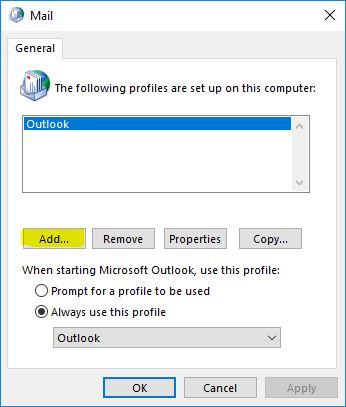
Click on Add
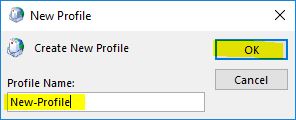
Input a profile name and click OK
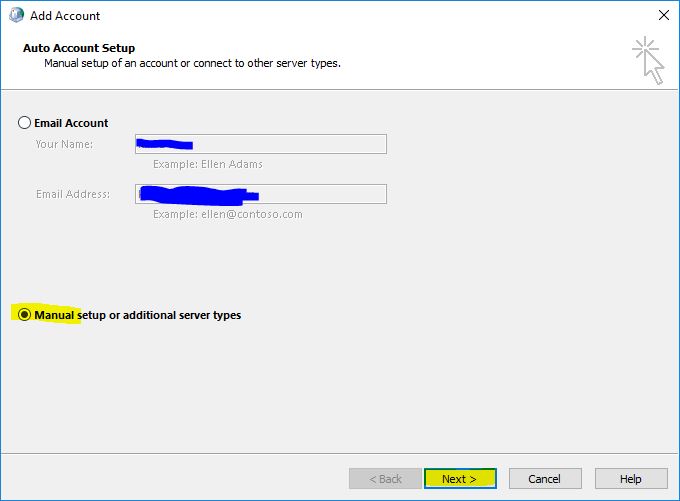
Toggle the radio button next to Manual Setup > Next
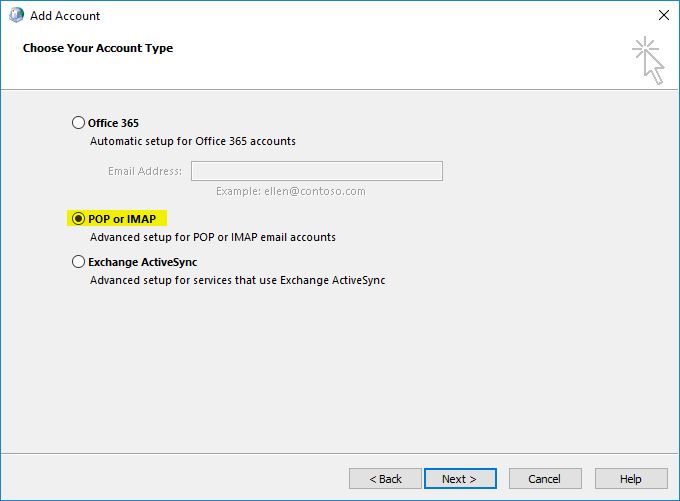
Select POP or IMAP > Next
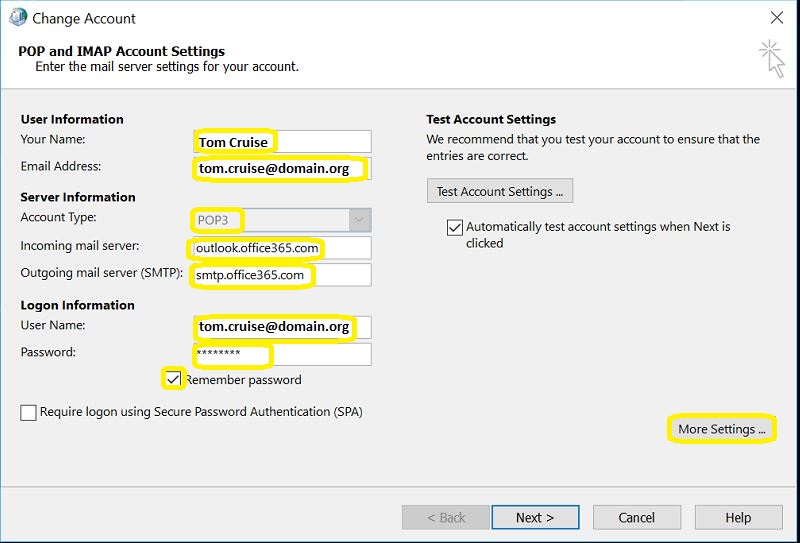
Fill out this screen as shown > click More Settings
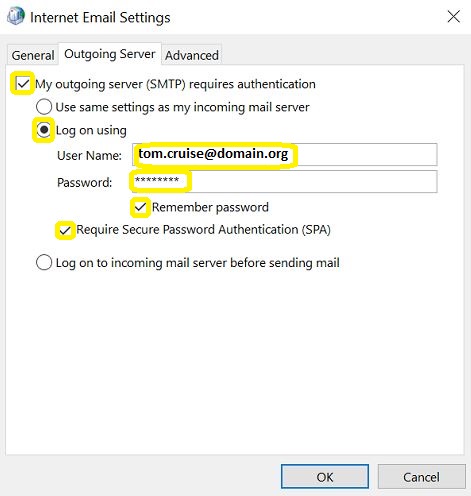
At the Internet Email Settings window, click on Outgoing Server and copy this configuration > click on Advanced when ready
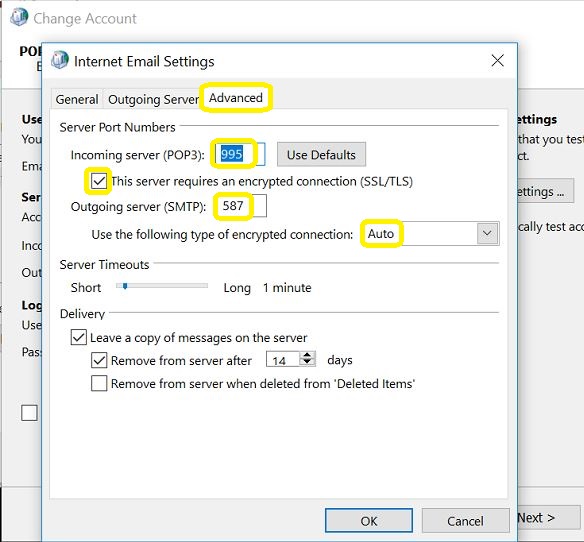
Fill out the port numbers and other settings > OK
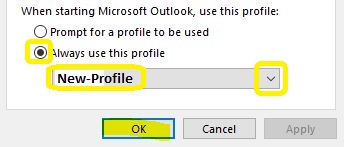
Click Next  > OK > Set this New-Profile as Default > OK
Run Outlook as Normal and allow it some time to download the entire mailbox from the Office 365 Exchange server.

Leave a Reply

Your email address will not be published. Required fields are marked *

Related Post

How to Setup Dynamic DNS with Google Domains & Ubiquity EdgeRouter

Step 1: Set up Dynamic DNS - Access Google Domains: - Click on the Manage…

Windows XP and Browser Compatibilities

1. Internet Explorer: The highest IE version that a machine running on Windows XP would…

match

- The match() method retrieves the matches when matching a string against a regular expression.…
