Remove Existing Profile
Run: control.exe > click on Mail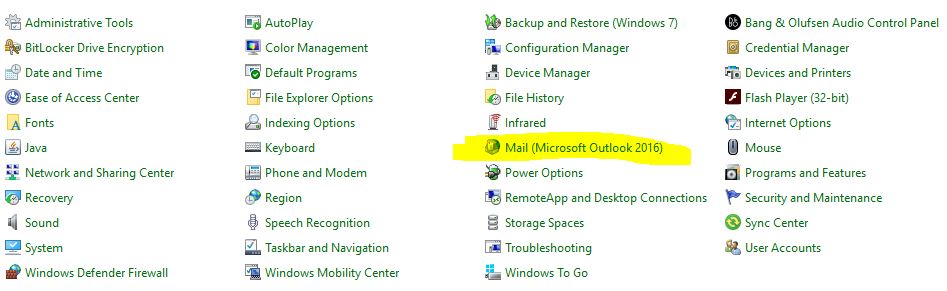
Click on Show Profiles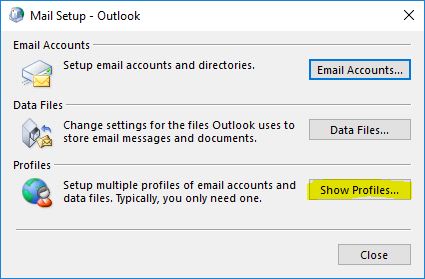
Click on Remove > Yes > OK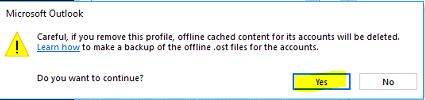
Purge Local Outlook Folder of all previous files
# Purge Outlook Profile Folder

$outlookItems=(get-childitem -Recurse -Attributes !Directory "$env:localappdata\Microsoft\Outlook" -force).FullName;
$handles = handle;
if (!(handles)){

    }
# Requires handle.exe from Systernals. returns pid
function findPidLockedFile{
	param($lockedFile)
	$scrollingPid="";
    $lockingPids=@();
	foreach ($line in $handles) {
		 if ($line -like "*pid:*") {$scrollingPid=$line}
		if ($line -like "*$lockedFile*") {
			#[void]($scrollingPid -match "(.*)\spid:");
			[void]($scrollingPid -match "pid:\s(.*)\s");
			$lockingPids+=,$matches[1];}
	     }
    return $lockingPids|get-unique
}


foreach ($x in $outlookItems){
	try{
		Remove-Item $x -Force
		}
	catch{
		$lockingPids=findPidLockedFile $x;
		$lockingPids|%{stop-process -id $_ -force};
		Remove-Item $x -Force
		}
}
Trigger Outlook and re-create profile
a. Start Outlook in Safe Mode
Start > Run > Outlook.exe /safe > wait for Outlook to load > close Outlook > wait 1 minute for system memory of the application to clear
b. Start Outlook as normal
Start > Run > Outlook.exe > Follow wizard to create new profile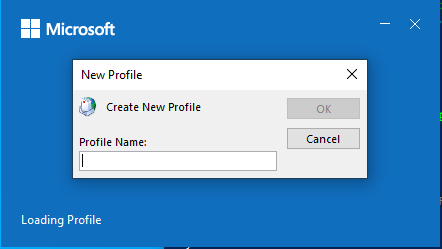
What Problems Does this Solve?
- This one (after the “phantom” DNS record of mail.domain.com has been removed):
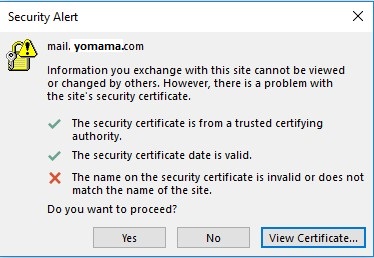
- And this one…

- Freezing or crashing Outlook cases that are isolated to certain lucky users.
Categories:
